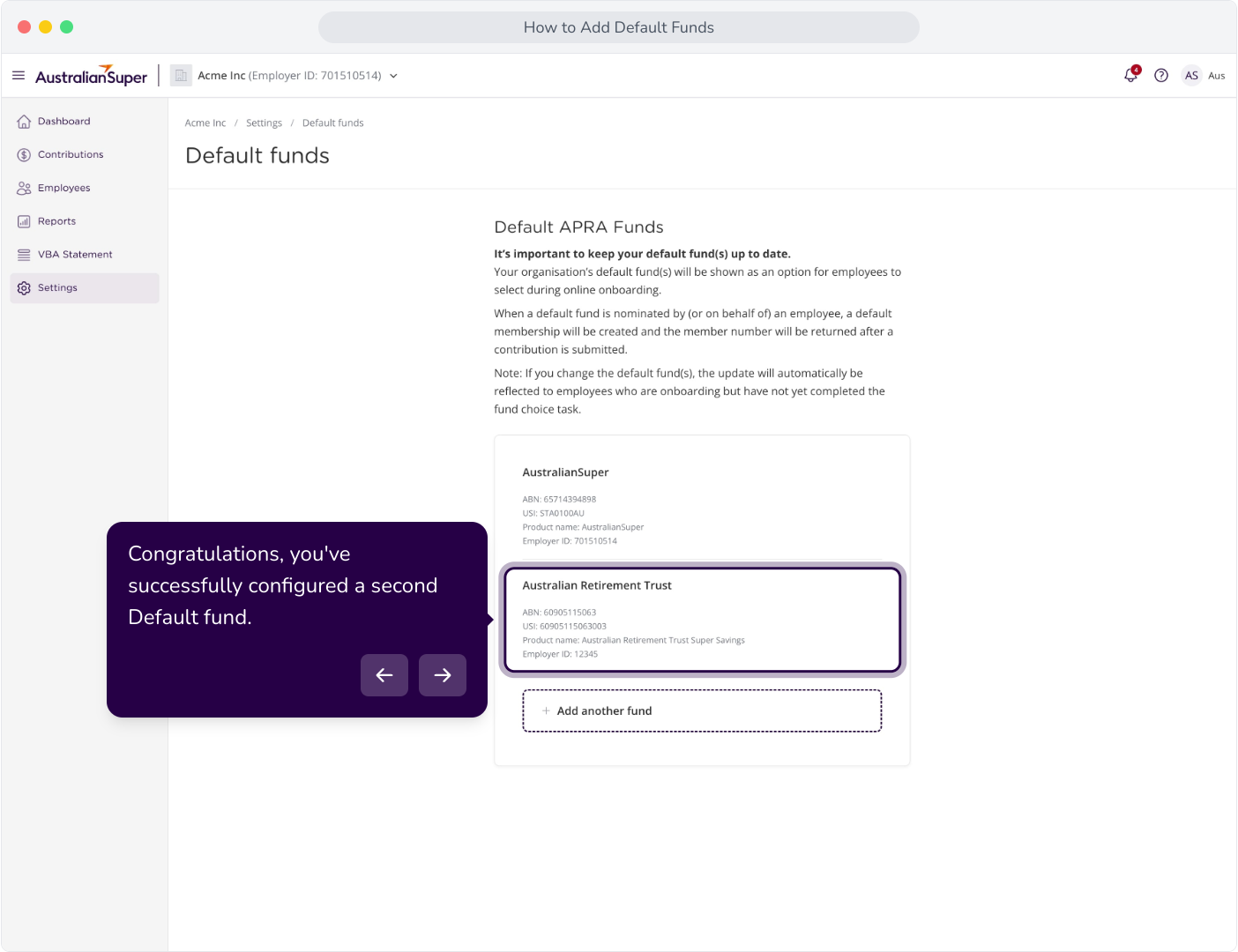
Context: This guide details how to add default funds within the Employer Portal.
Interactive Demo
Note: Make the demo full-screen for a better experience. You can mute/un-mute narration to suit your preferences.
Step by Step
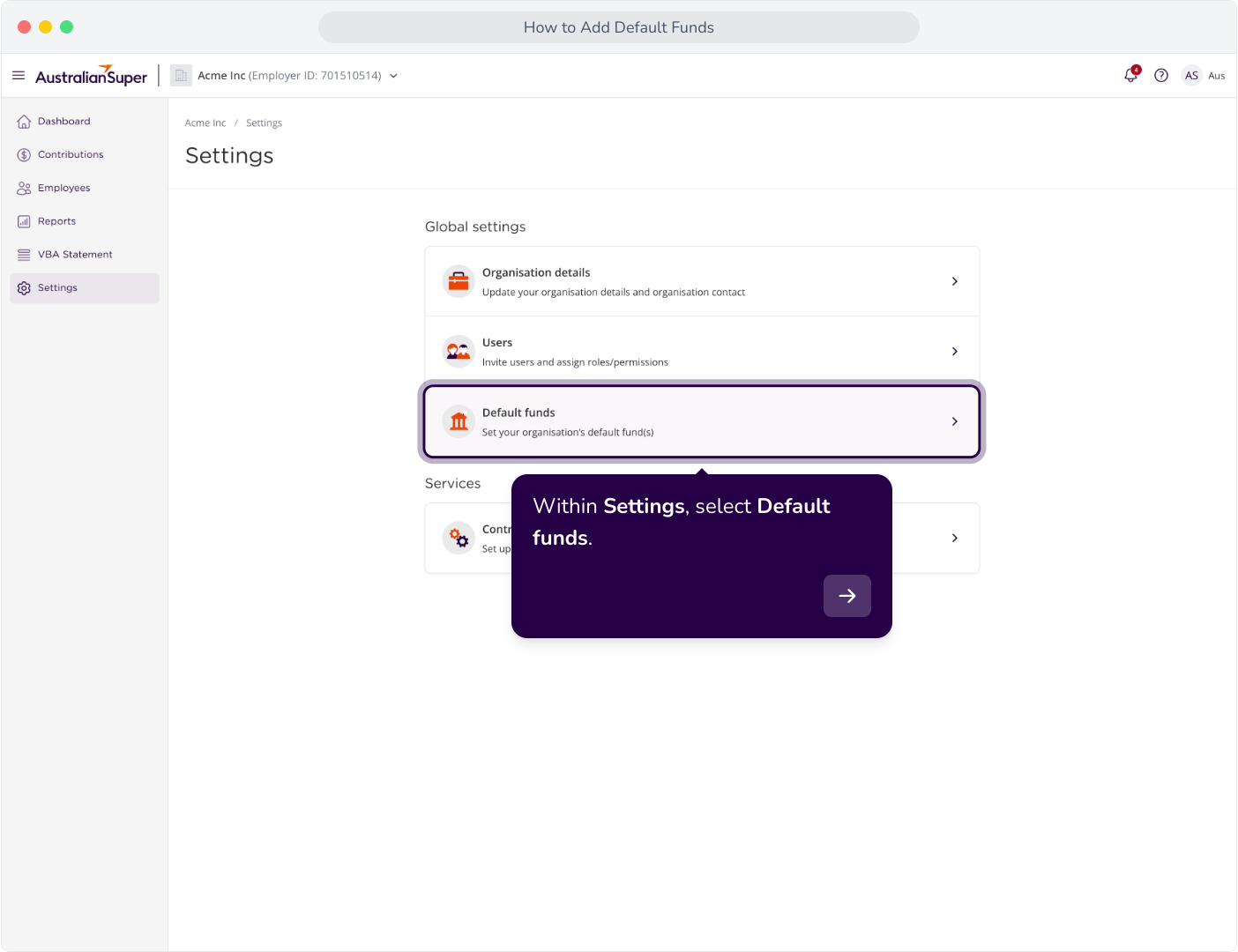
1. Within Settings, select Default funds.
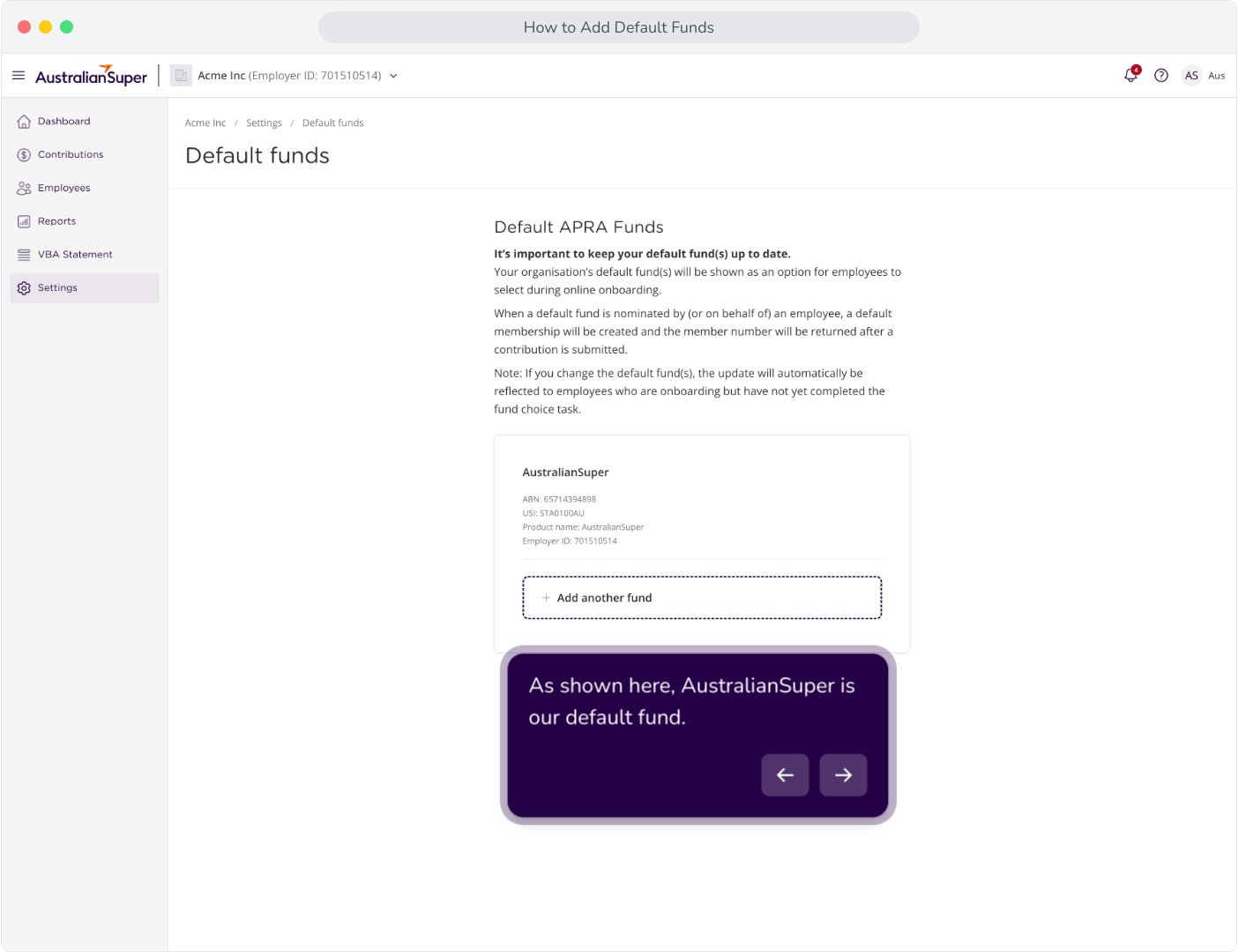
2. As shown here, AustralianSuper is our default fund.
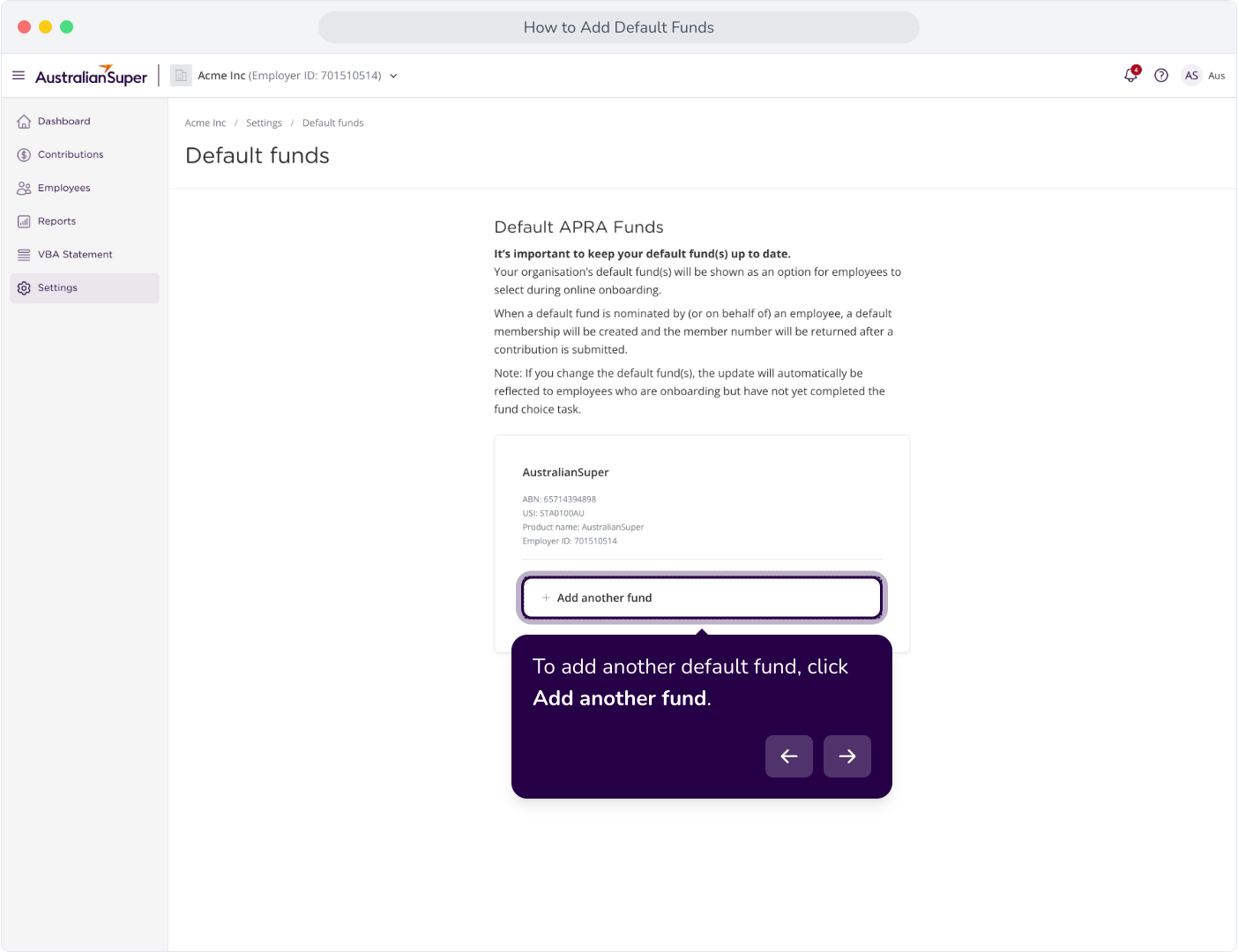
3. To add another default fund, click Add another fund.
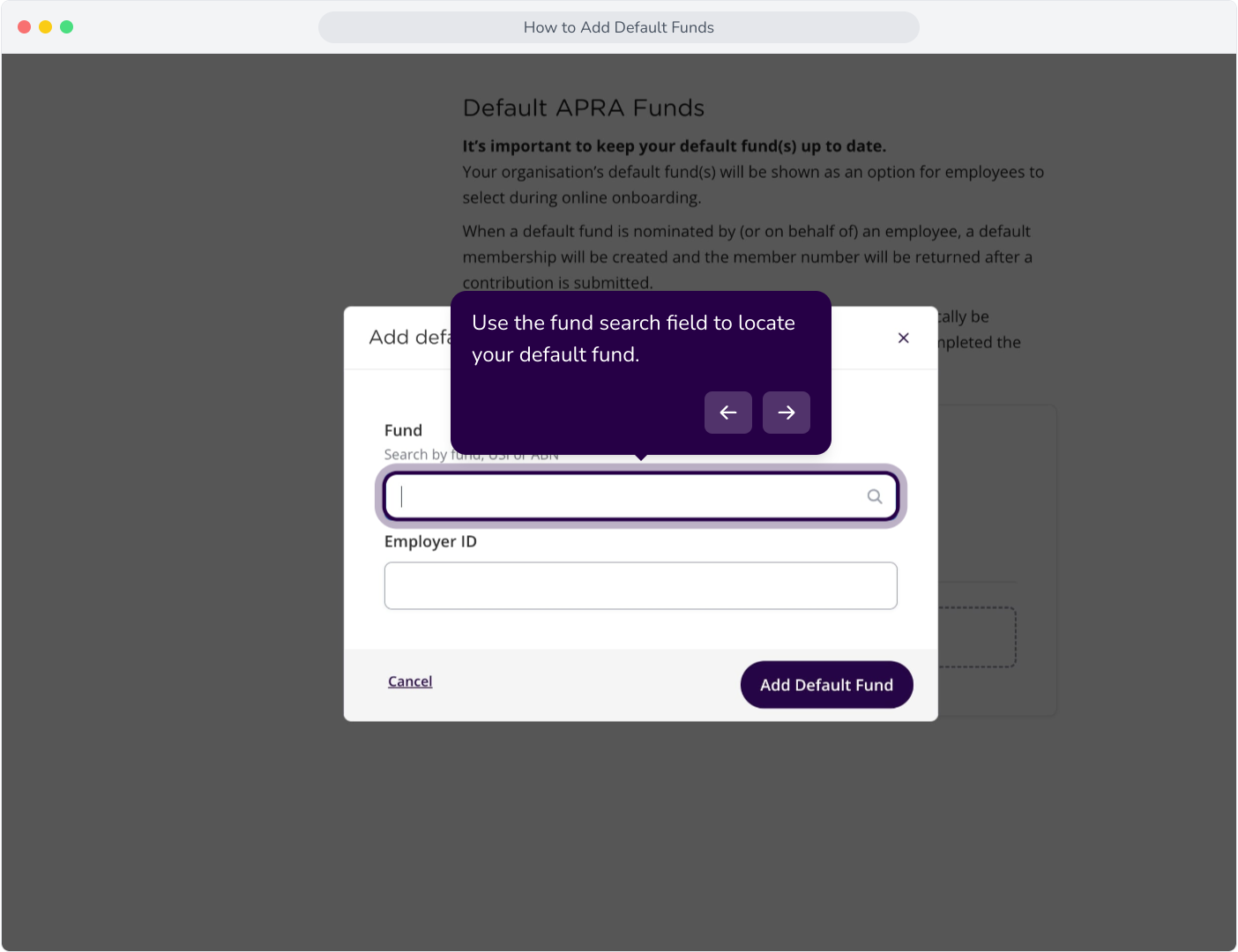
4. Use the fund search field to locate your default fund.
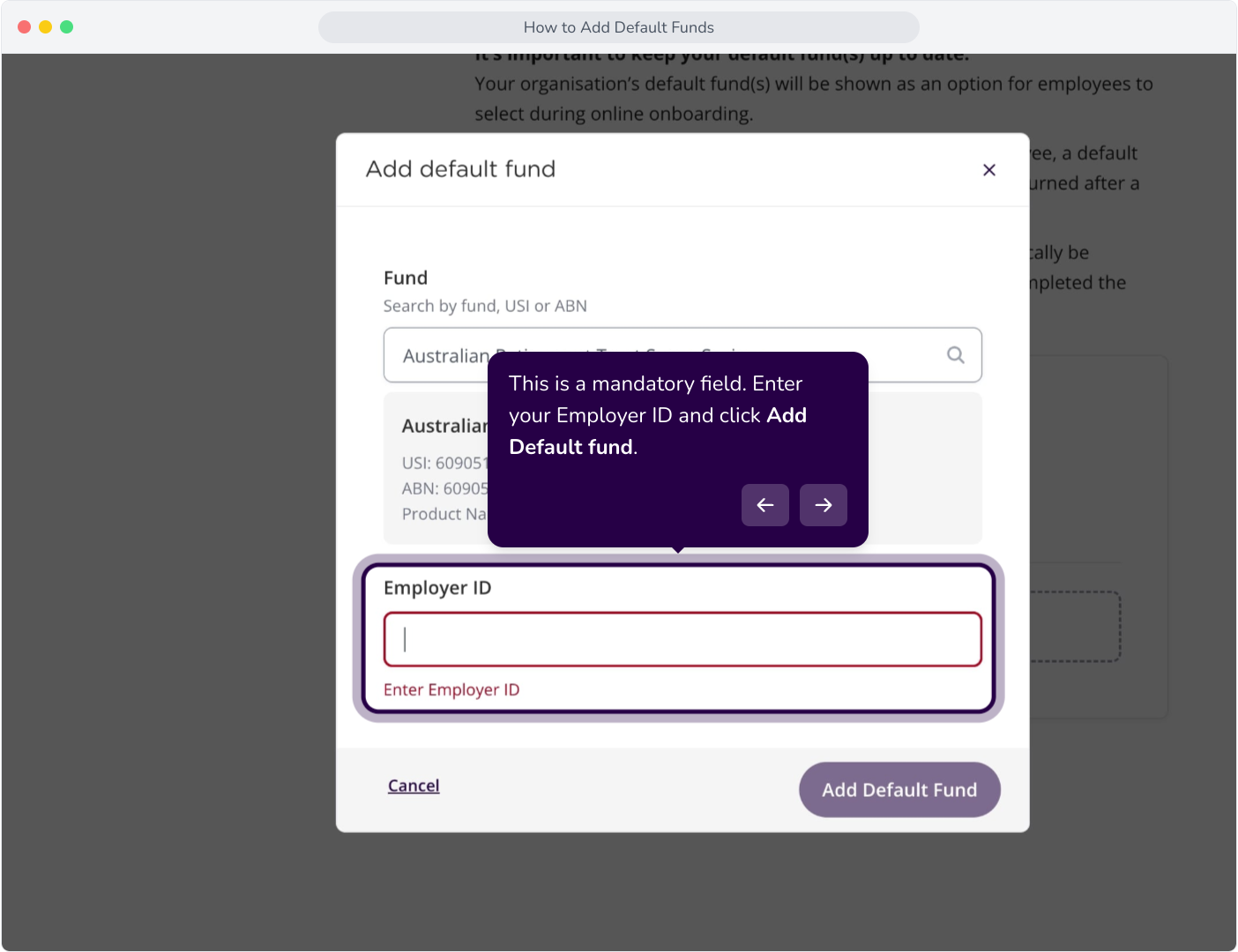
5. This is a mandatory field. Enter your Employer ID and click Add Default fund.
6. Congratulations, you've successfully configured a second Default fund.