Context: This guide covers the different methods available for processing contribution payments, including Direct Debit, EFT, PayID, and BPAY.
Help: Looking for Refund account setup? Read more here.
Glossary
- Interactive Demo: Set up a Payment Method
- Written steps: Set up a Payment Method
- Set up EFT, PayID, or BPAY
- Set up Direct Debit
Interactive Demo: Set up a Payment Method
Note: Make the demo full-screen for a better experience. You can mute/un-mute narration to suit your preferences.
Written steps: Set up a Payment Method
To process contributions, you must select one of three options: Direct Debit, EFT, PayID or BPAY. To locate these options, follow the steps below.
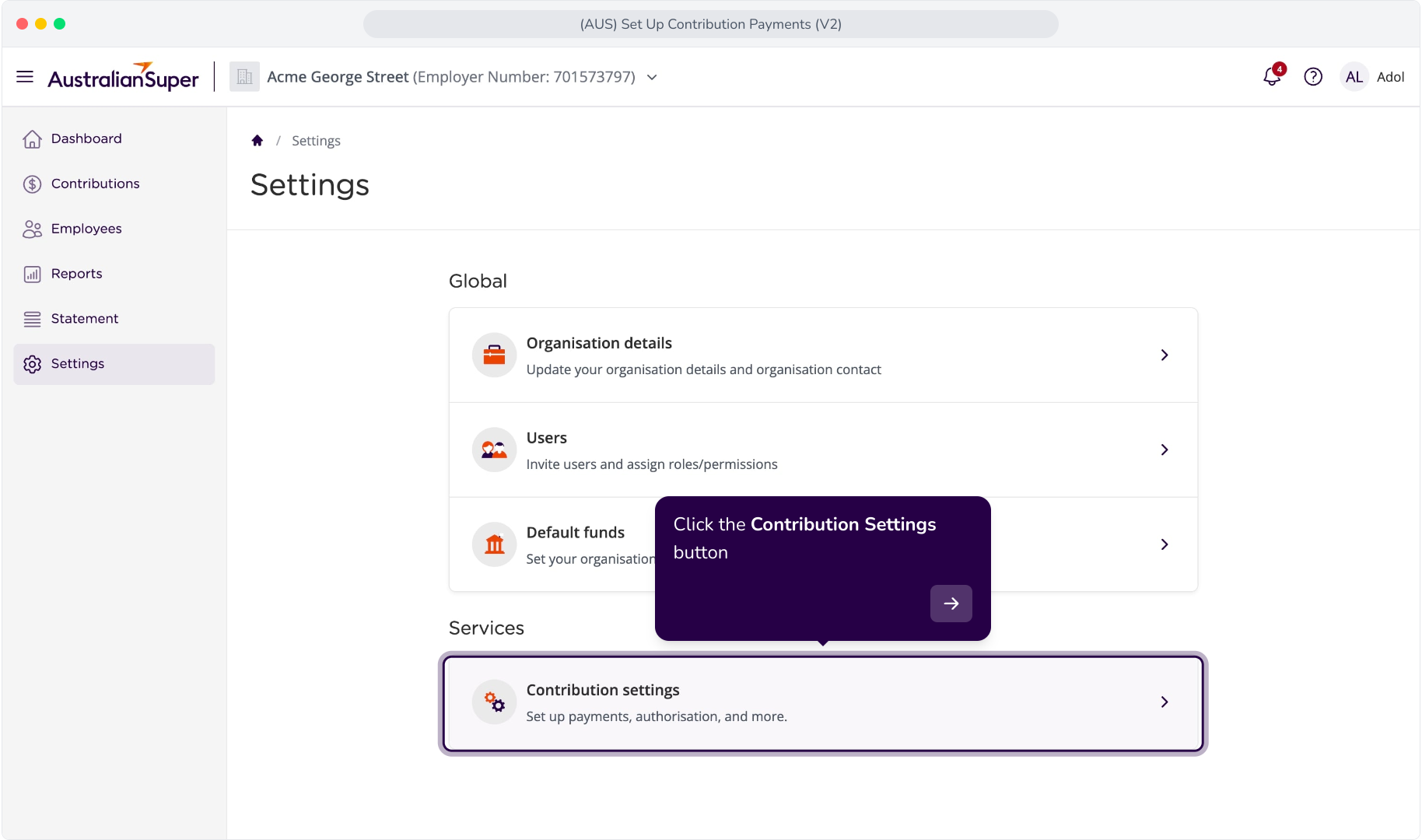
1. Click the Contribution Settings button
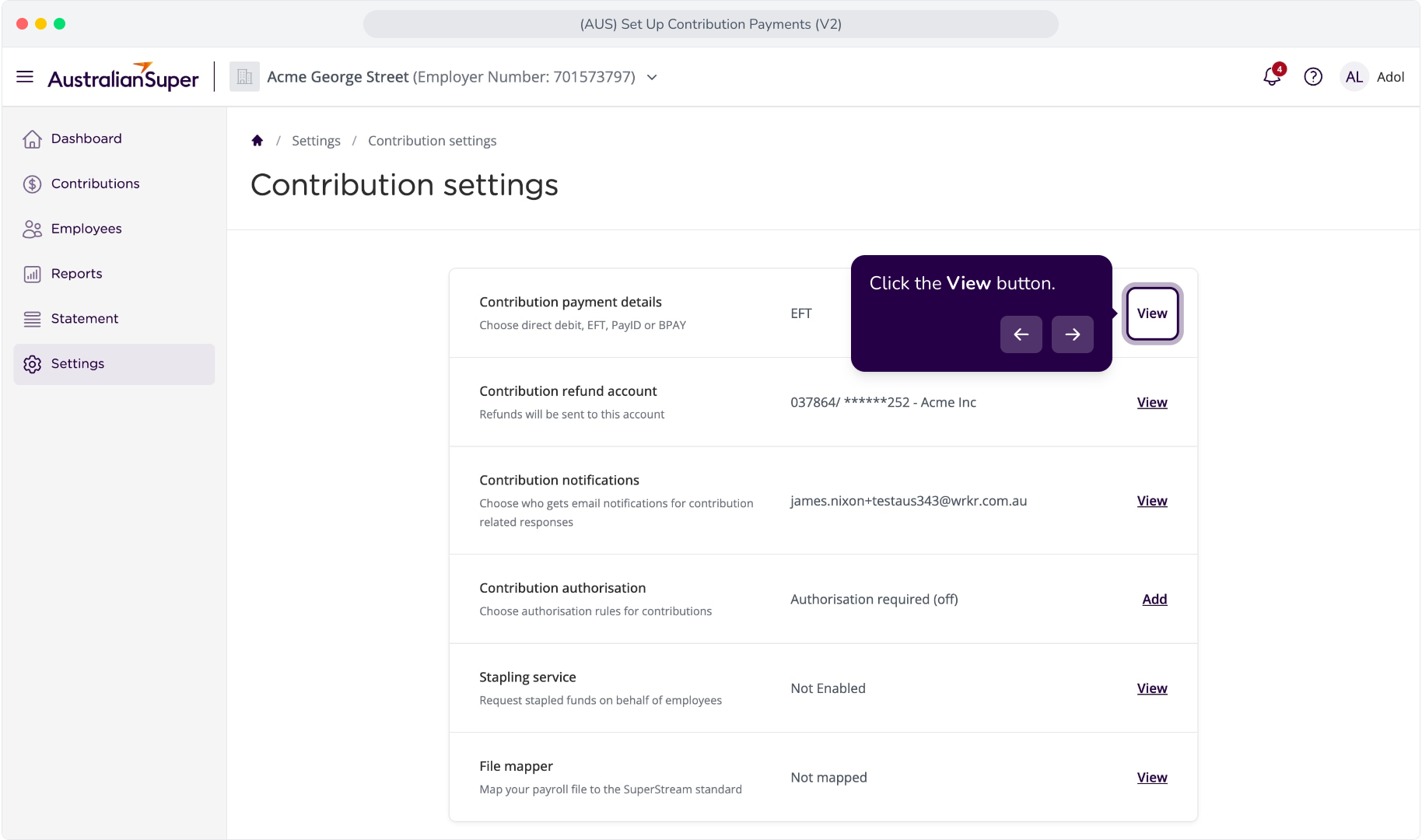
2. Click the View button.
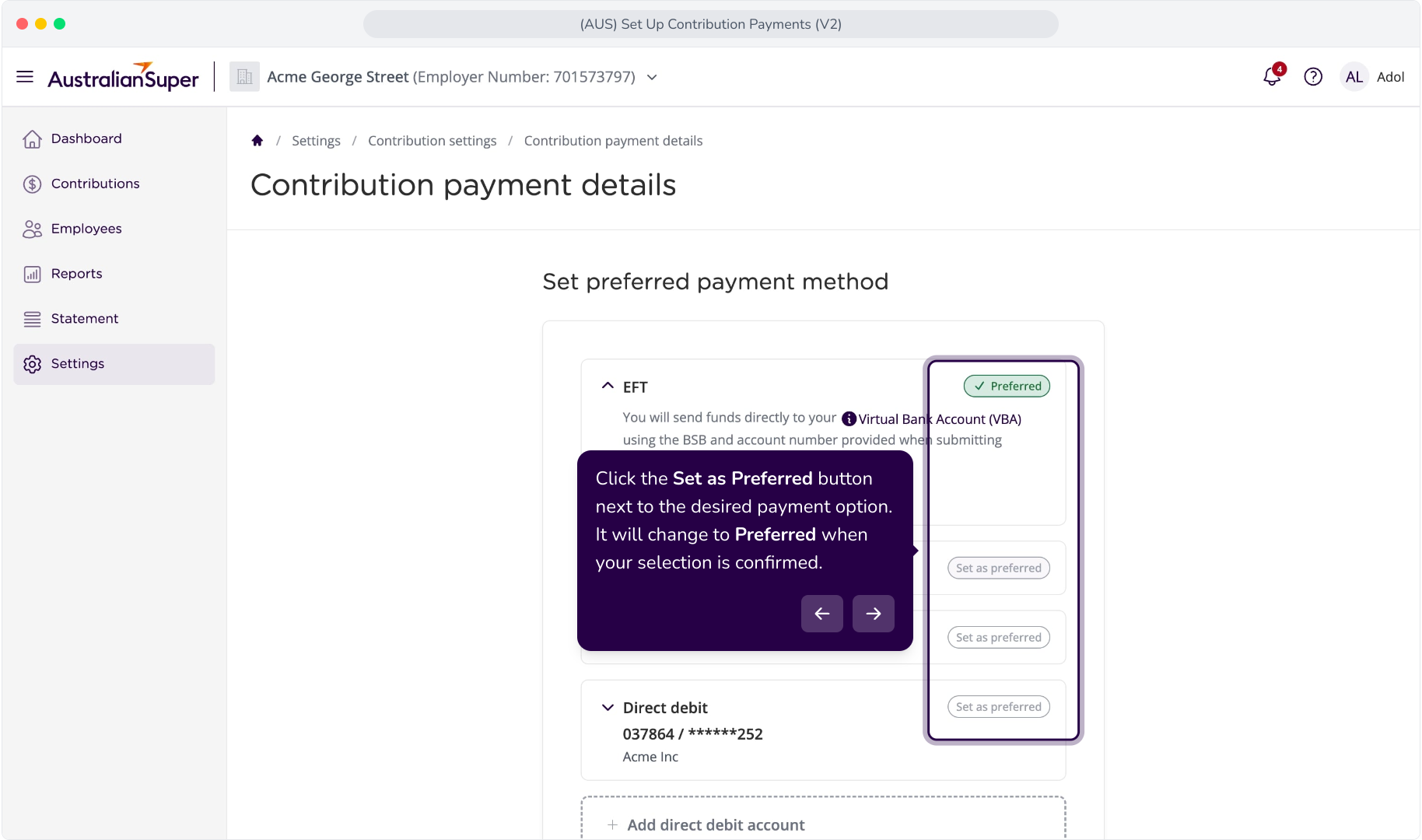
3. Click the Set as Preferred button next to the desired payment option. It will change to Preferred when your selection is confirmed.
Set up EFT, PayID, or BPAY
Context: To configure Electronic Funds Transfer (EFT) PayID, or BPAY as your preferred payment methods, please see EFT, PayID and BPAY for Contribution Payments.
Set up Direct Debit
Note: To configure your Direct Debit account, you must now verify your identity and bank account. Follow the steps detailed in the article linked below.
Context: To configure Direct Debit as your preferred payment method, please see Set Up Direct Debit For Contributions.