Context: This guide details the various stapling codes that may be returned against an employee’s record, and the actions you can take to resolve them. This guide also demonstrates the ability to configure multiple funds with each stapling reason code returned.
Interactive Demo
Note: Make the demo full-screen for a better experience. You can mute/un-mute narration to suit your preferences.
Step by Step
Scenario A: Fund Details Returned
Context: This section covers Reason Code 4 and Reason Code 6 responses from the stapling request, and how multiple funds can be configured for the employee
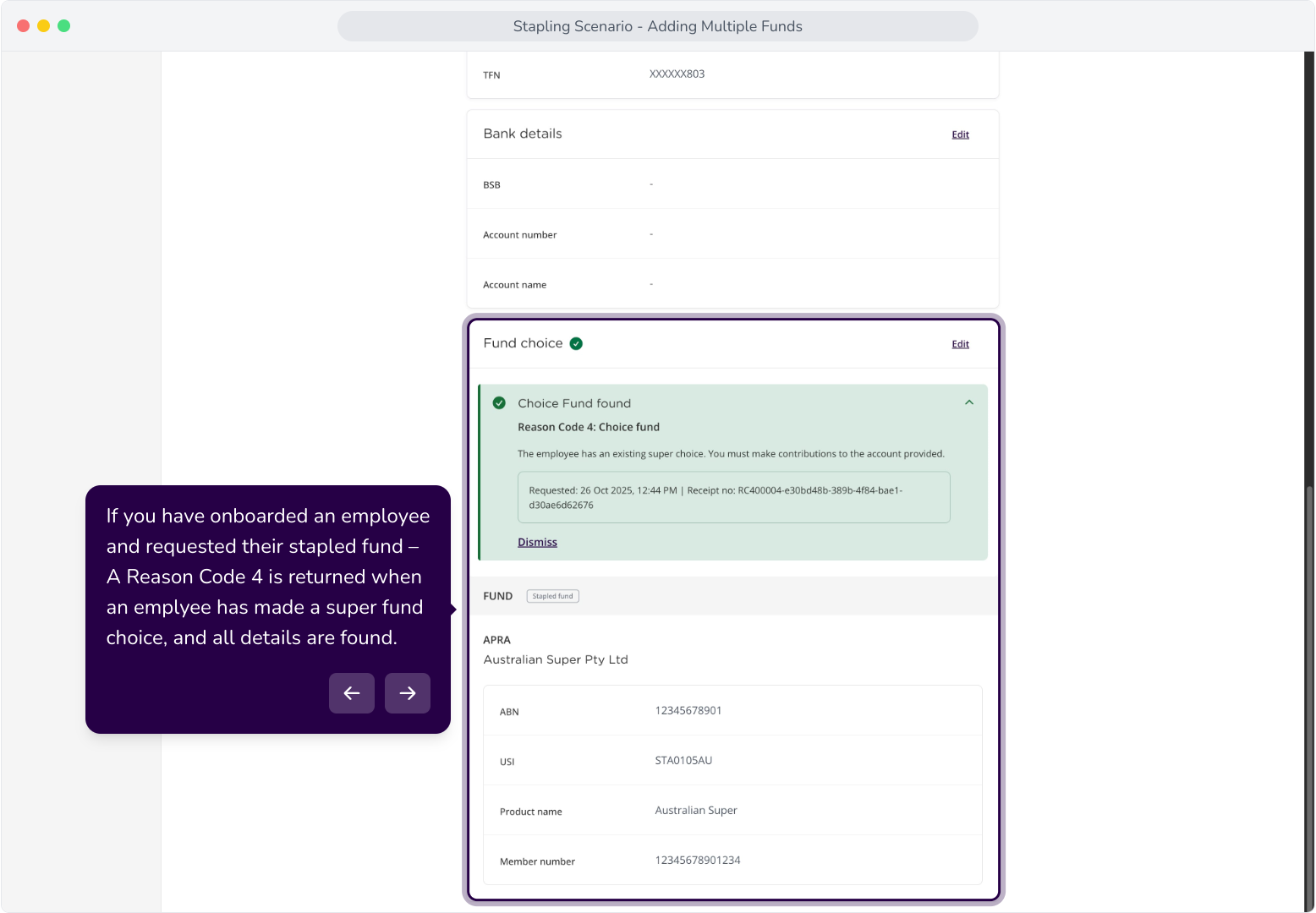
3. If you have onboarded an employee and requested their stapled fund – A Reason Code 4 is returned when an employee has made a super fund choice, and all details are found.
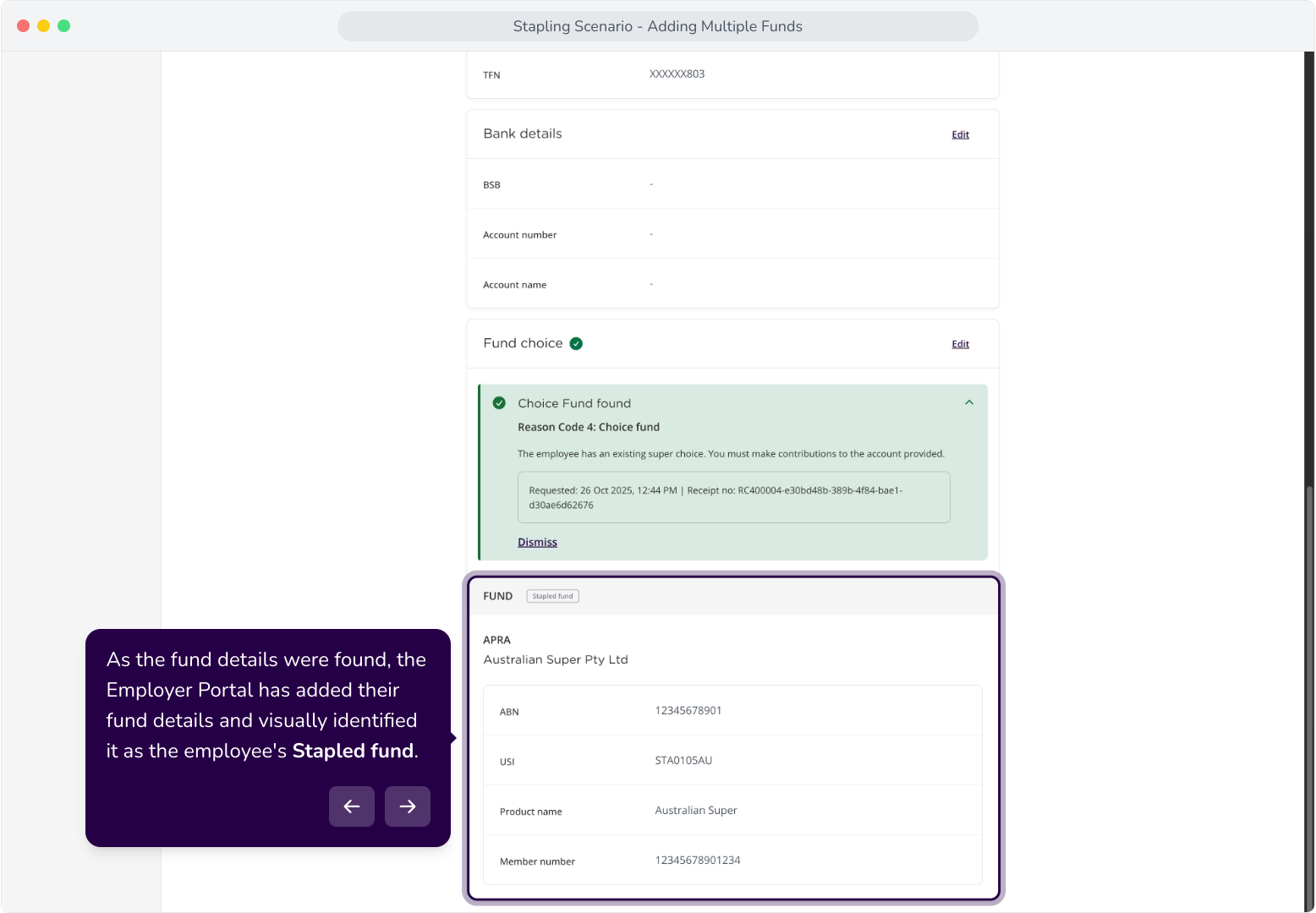
4. As the fund details were found, the Employer Portal has added their fund details and visually identified it as the employee's Stapled fund.
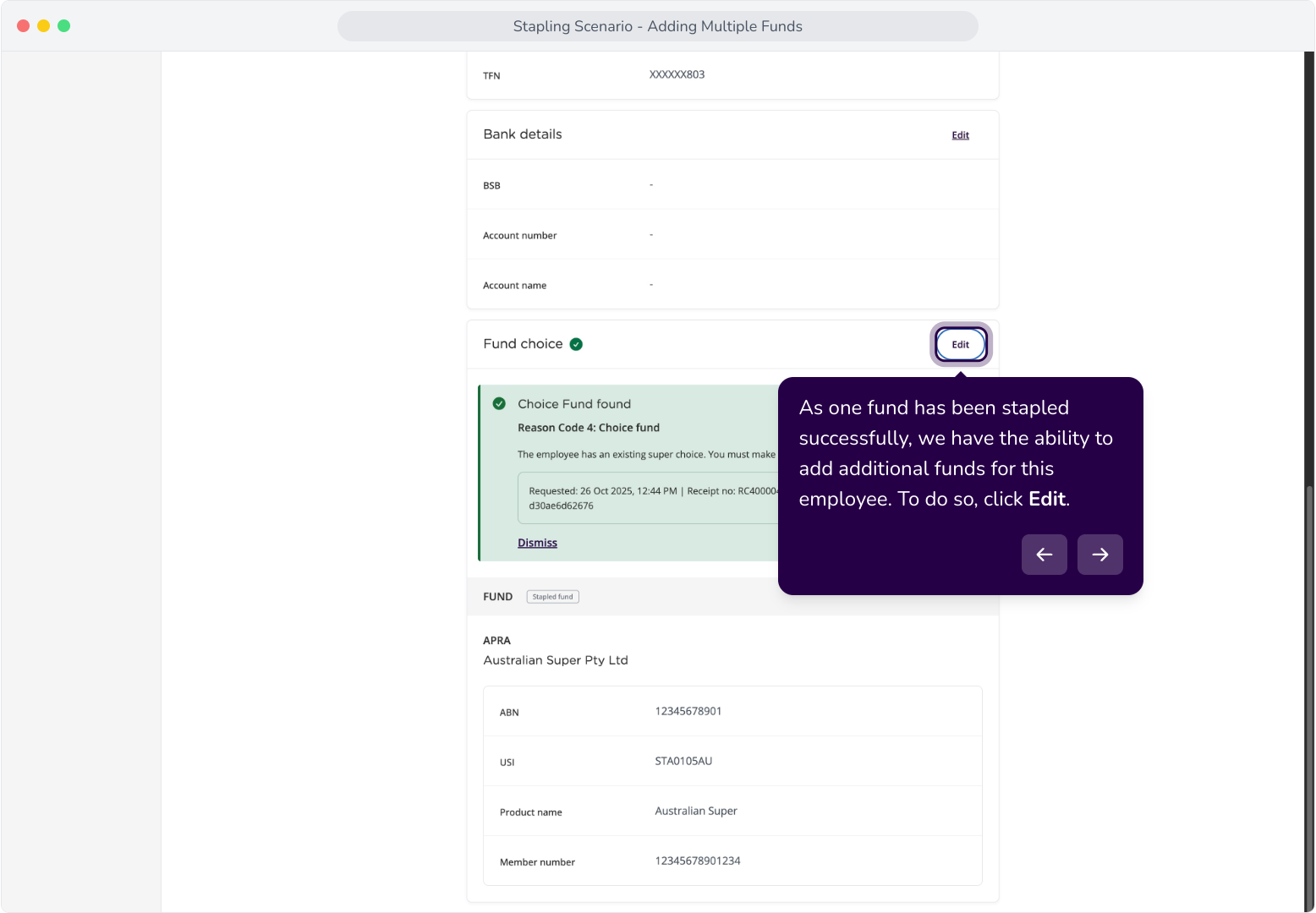
5. As one fund has been stapled successfully, we have the ability to add additional funds for this employee. To do so, click Edit.
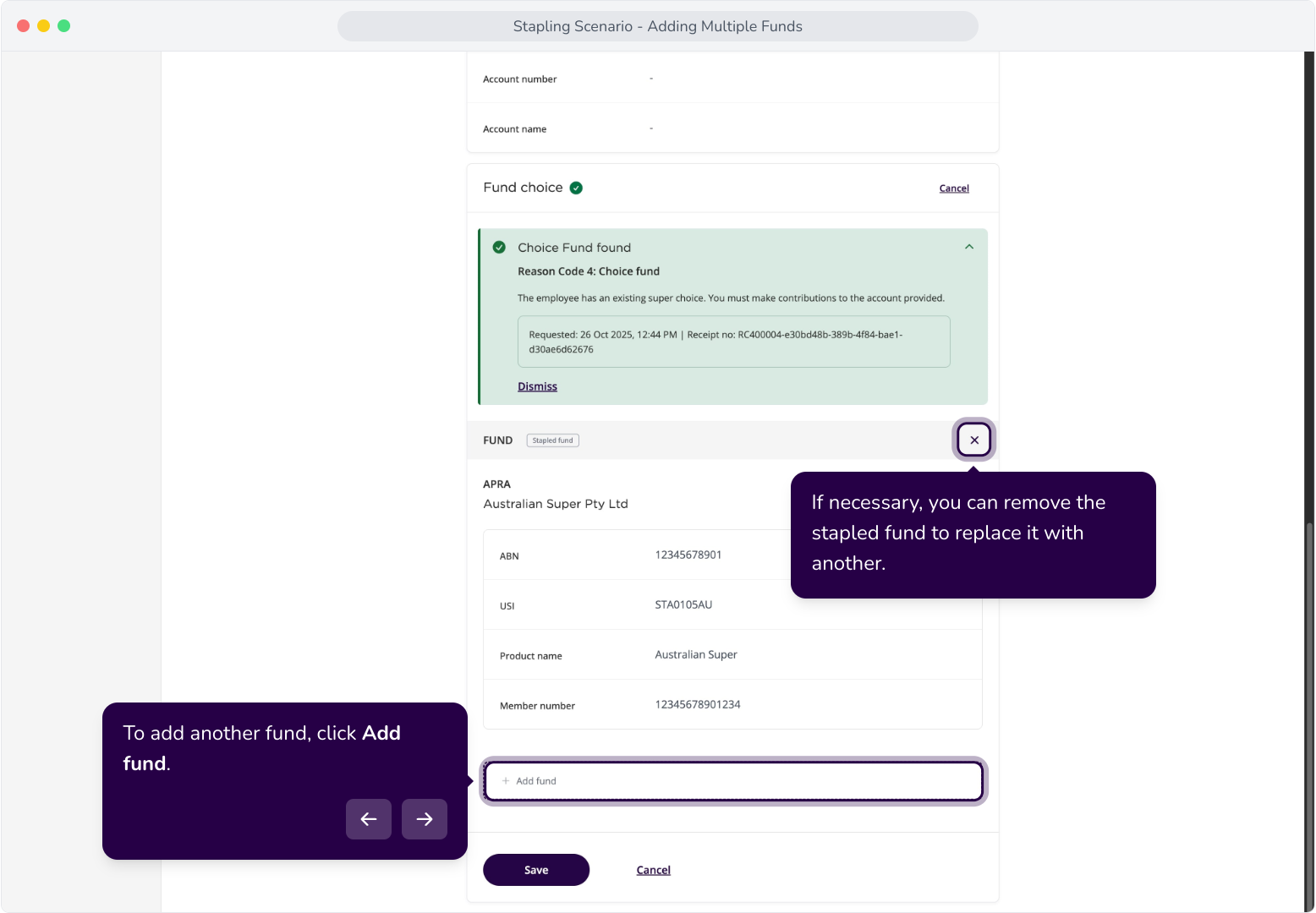
6. To add another fund, click Add fund.
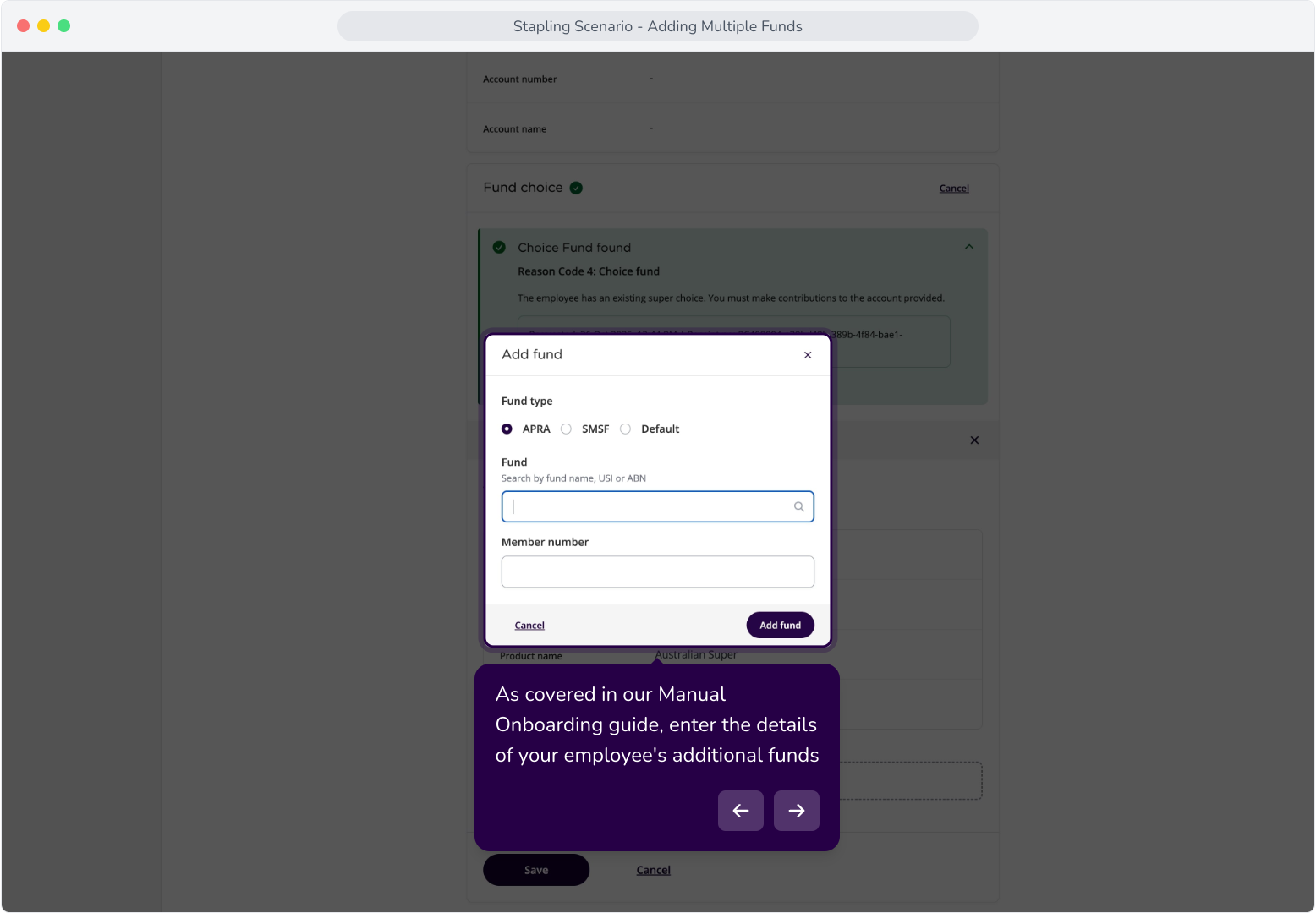
7. As covered in our Manual Onboarding guide, enter the details of your employee's additional funds
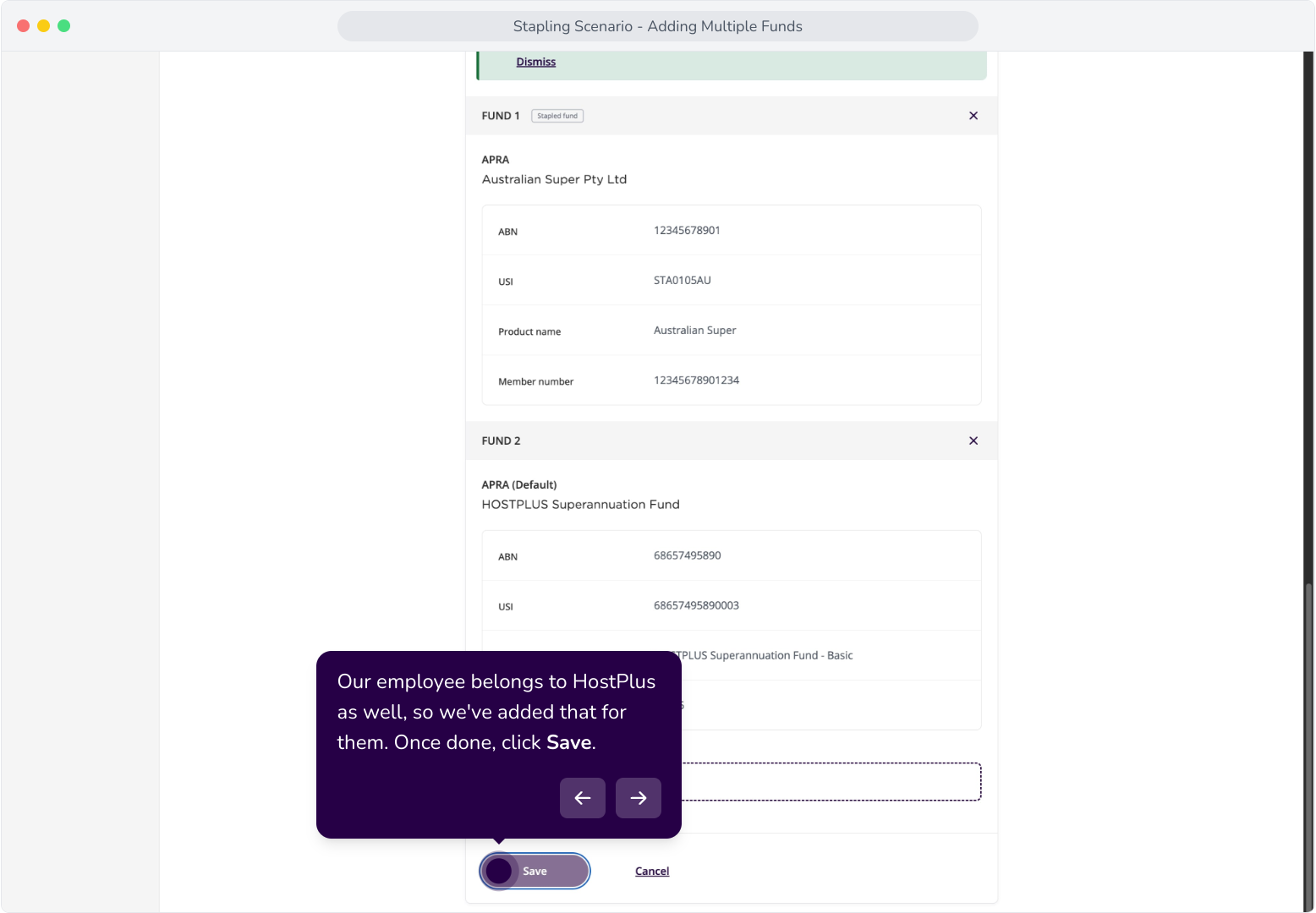
8. Our employee belongs to HostPlus as well, so we've added that for them. Once done, click Save.
9. For Reason Code 6, the response is similar. The employee's fund details have been returned, and their stapled fund has been added.
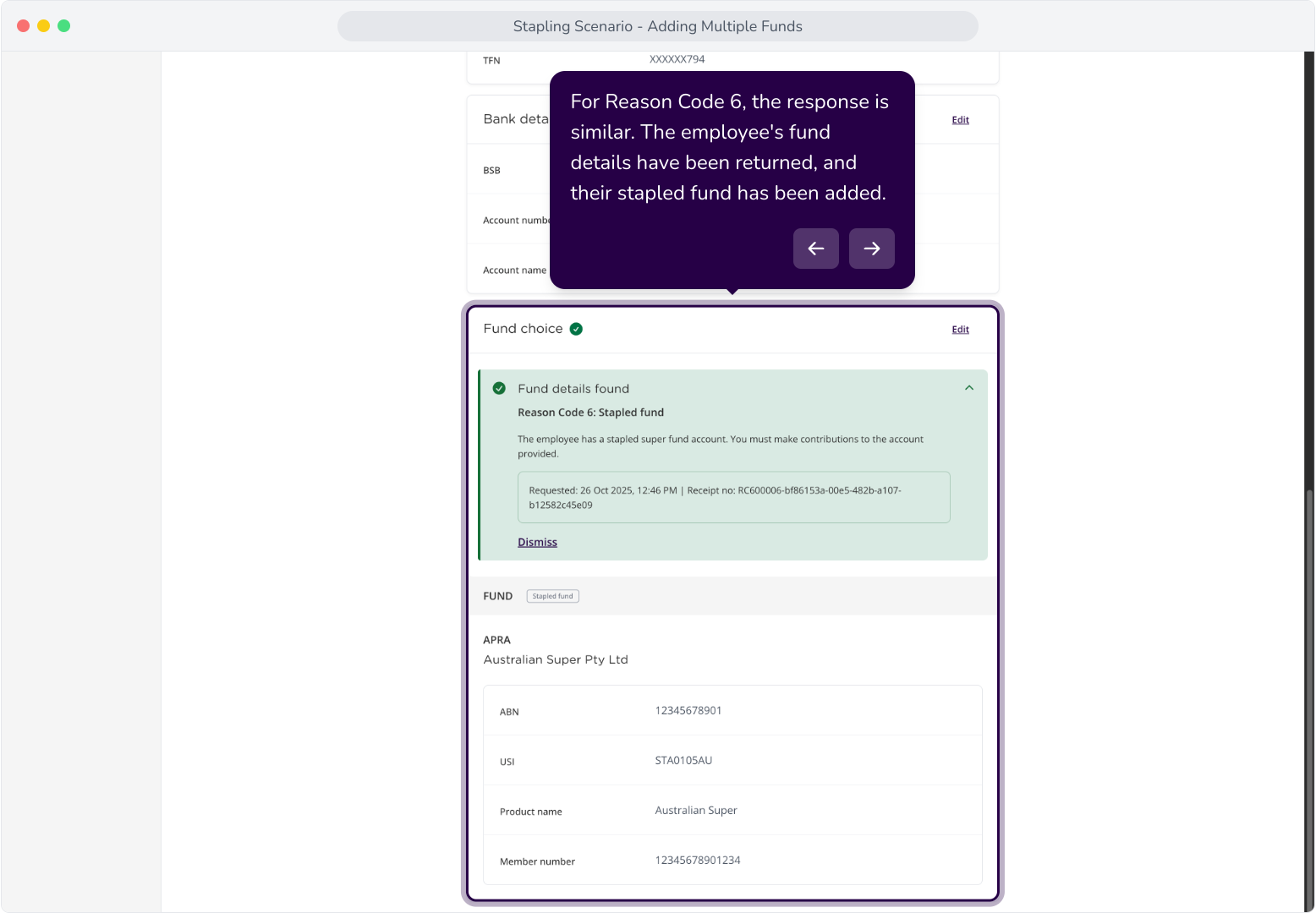
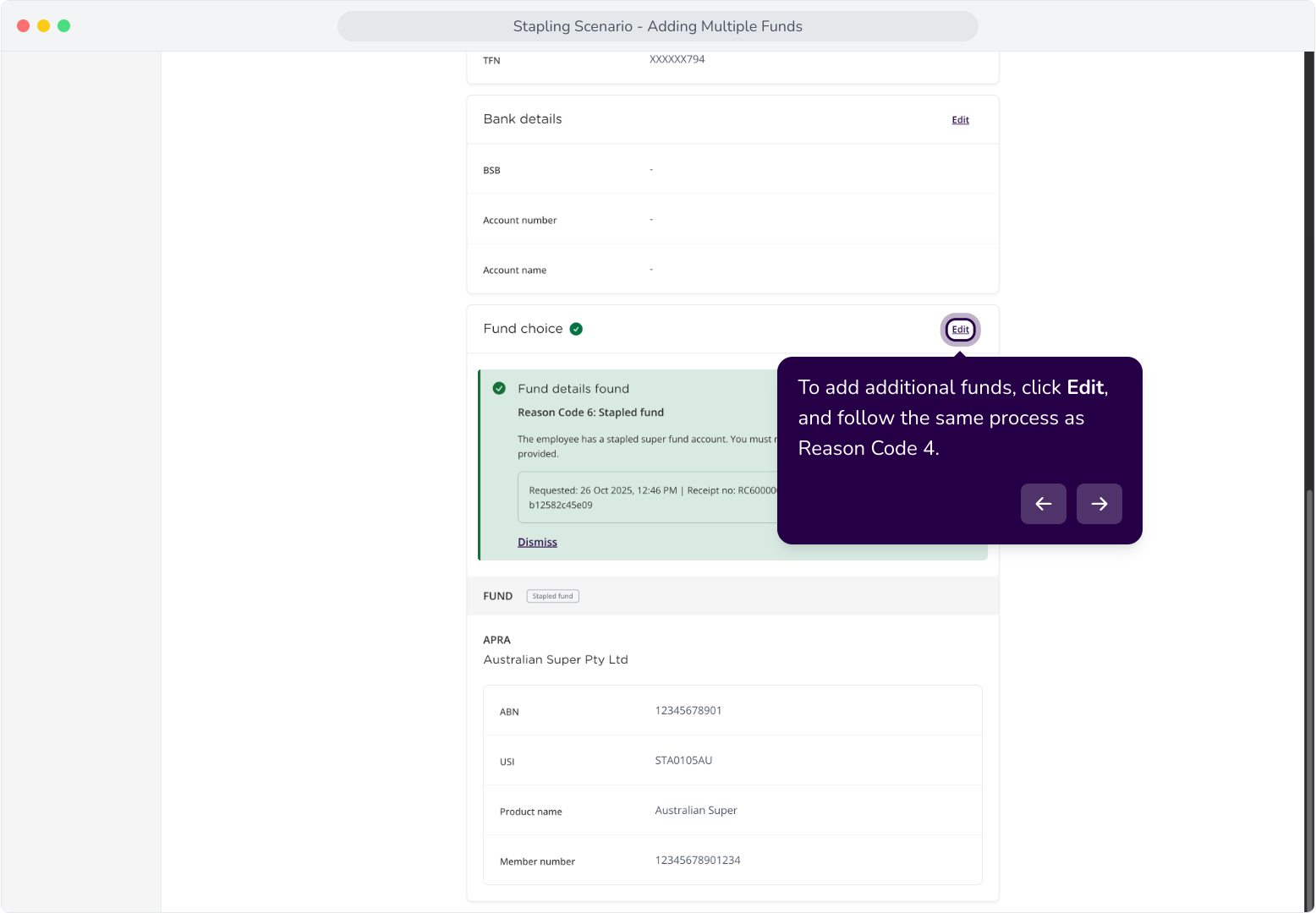
10. To add additional funds, click Edit, and follow the same process as Reason Code 4.
Scenario B: Partial or Incomplete Fund Details
Context: This section covers Reason Code 5 and Reason Code 7 responses from the stapling request, and how multiple funds can be configured for the employee when partial or incomplete fund details are returned.
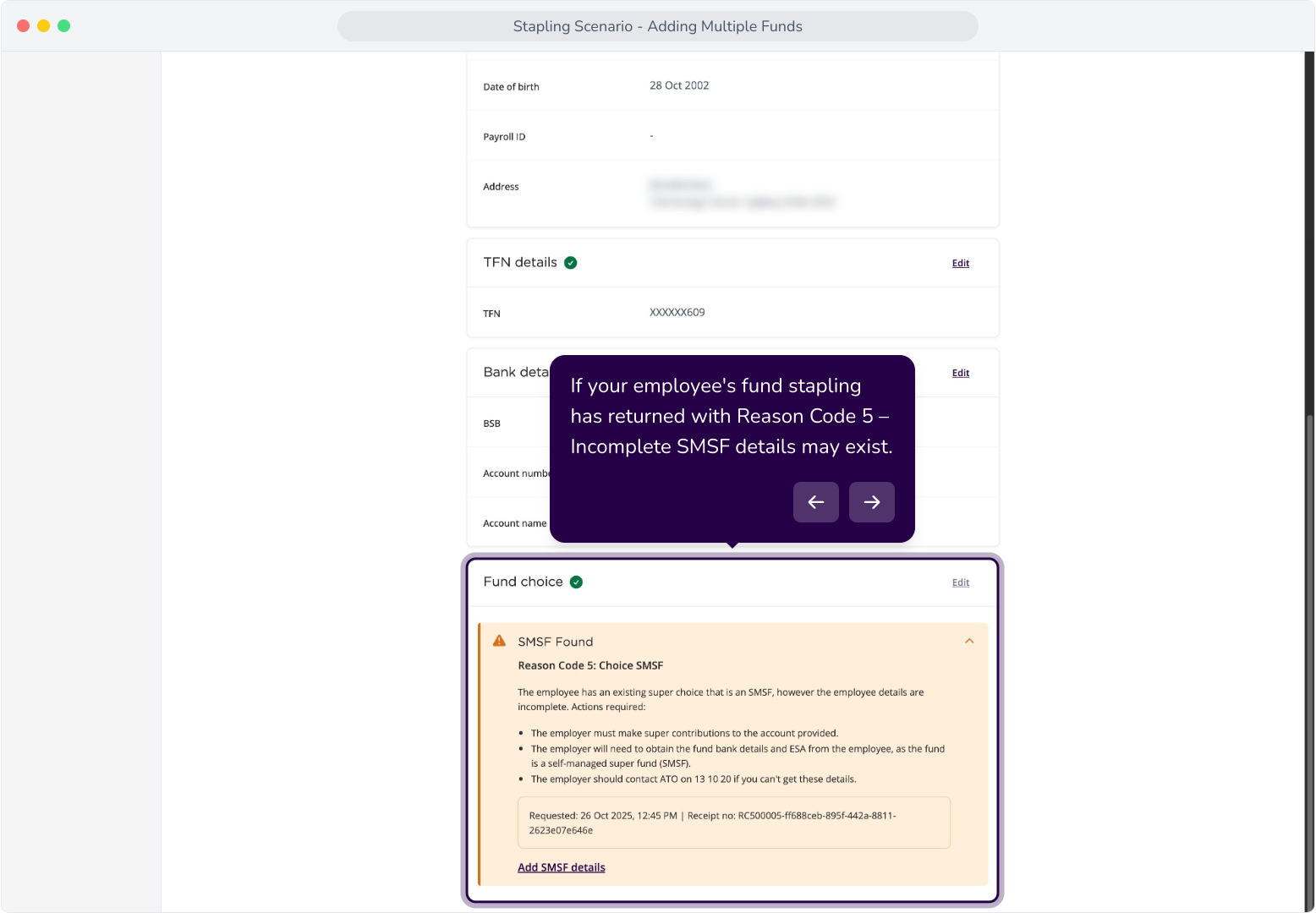
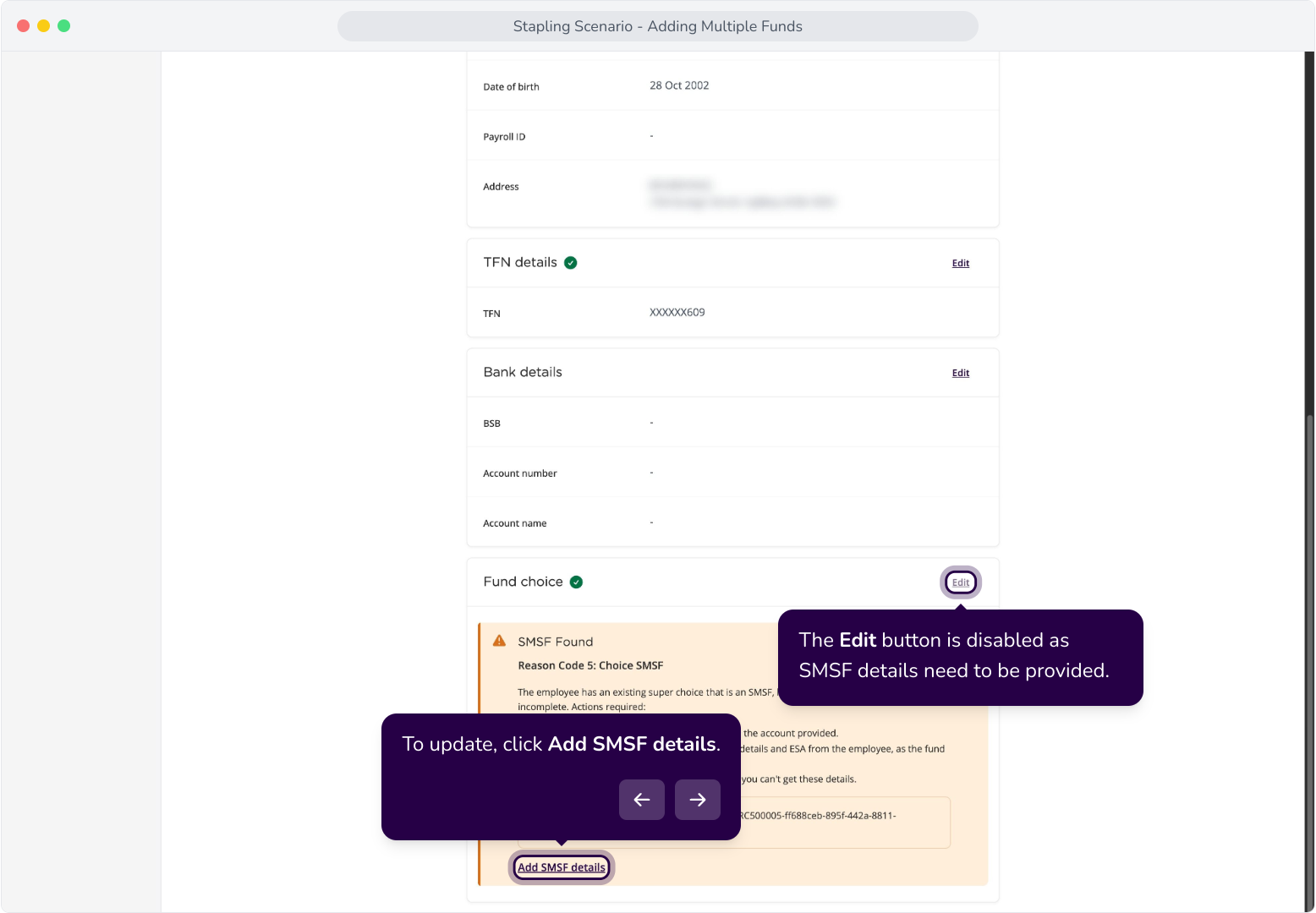
12. If your employee's fund stapling has returned with Reason Code 5 – Incomplete SMSF details may exist.
13. The Edit button is disabled as SMSF details need to be provided.
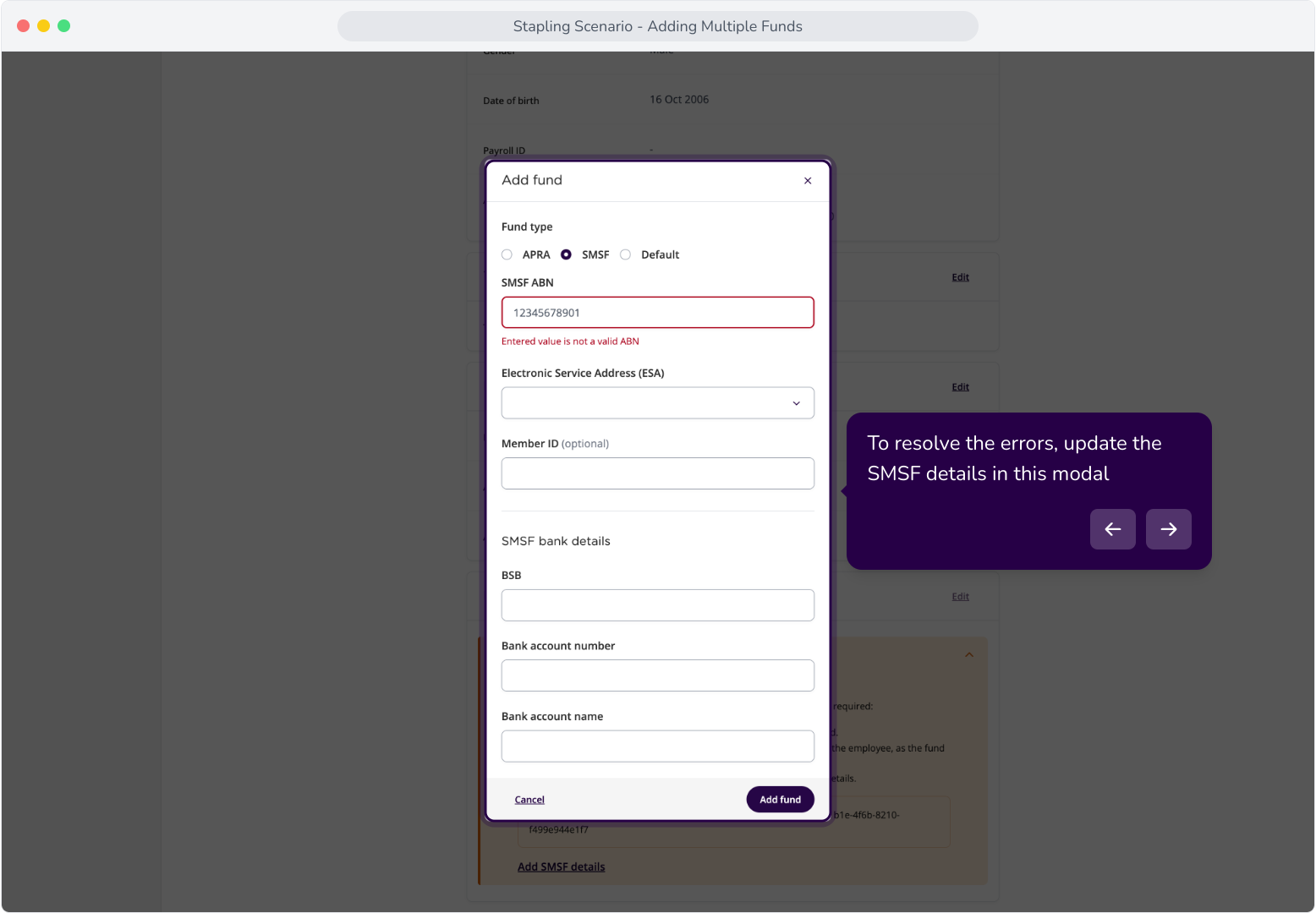
14. To resolve the errors, update the SMSF details in this modal
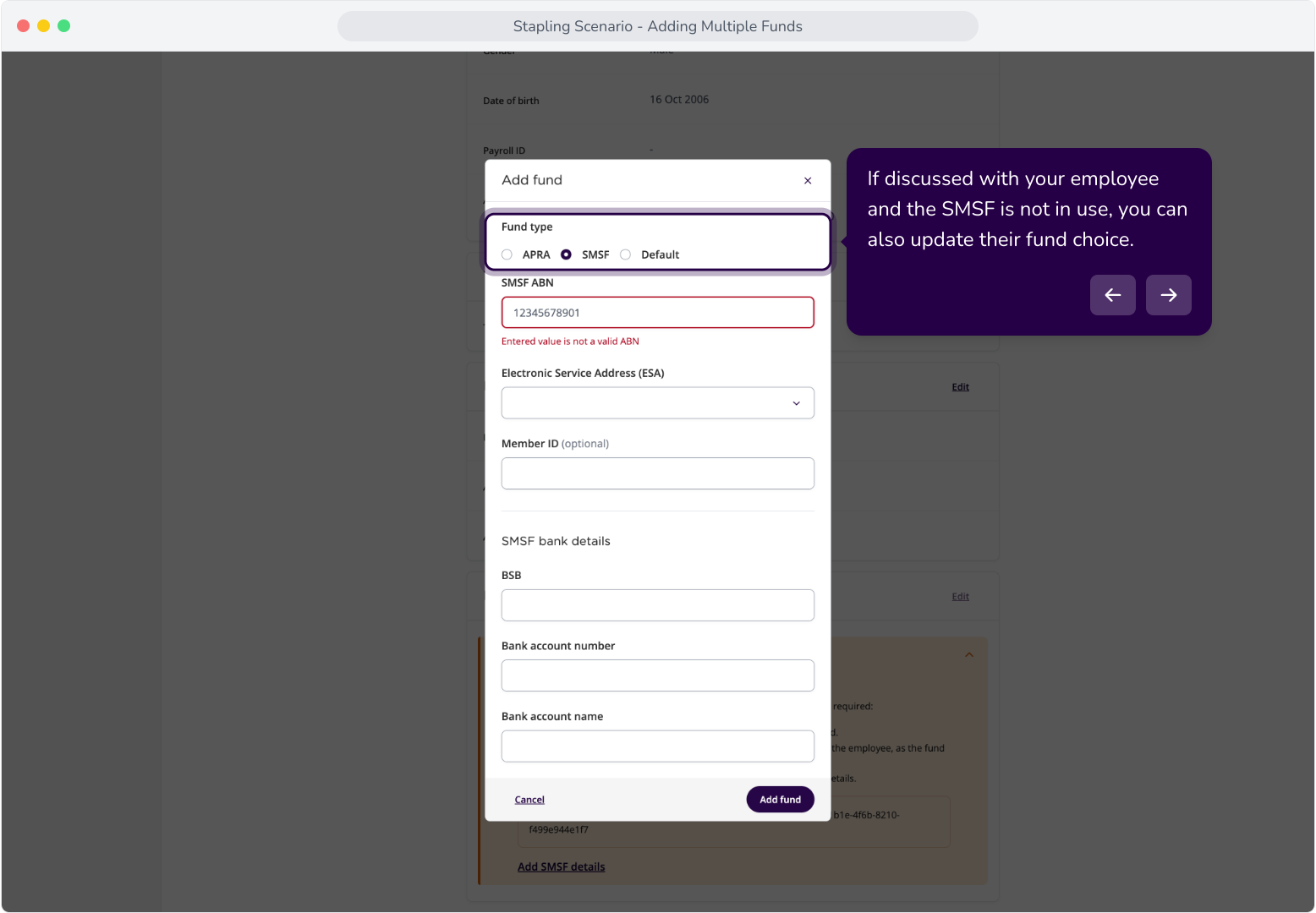
15. If discussed with your employee and the SMSF is not in use, you can also update their fund choice.
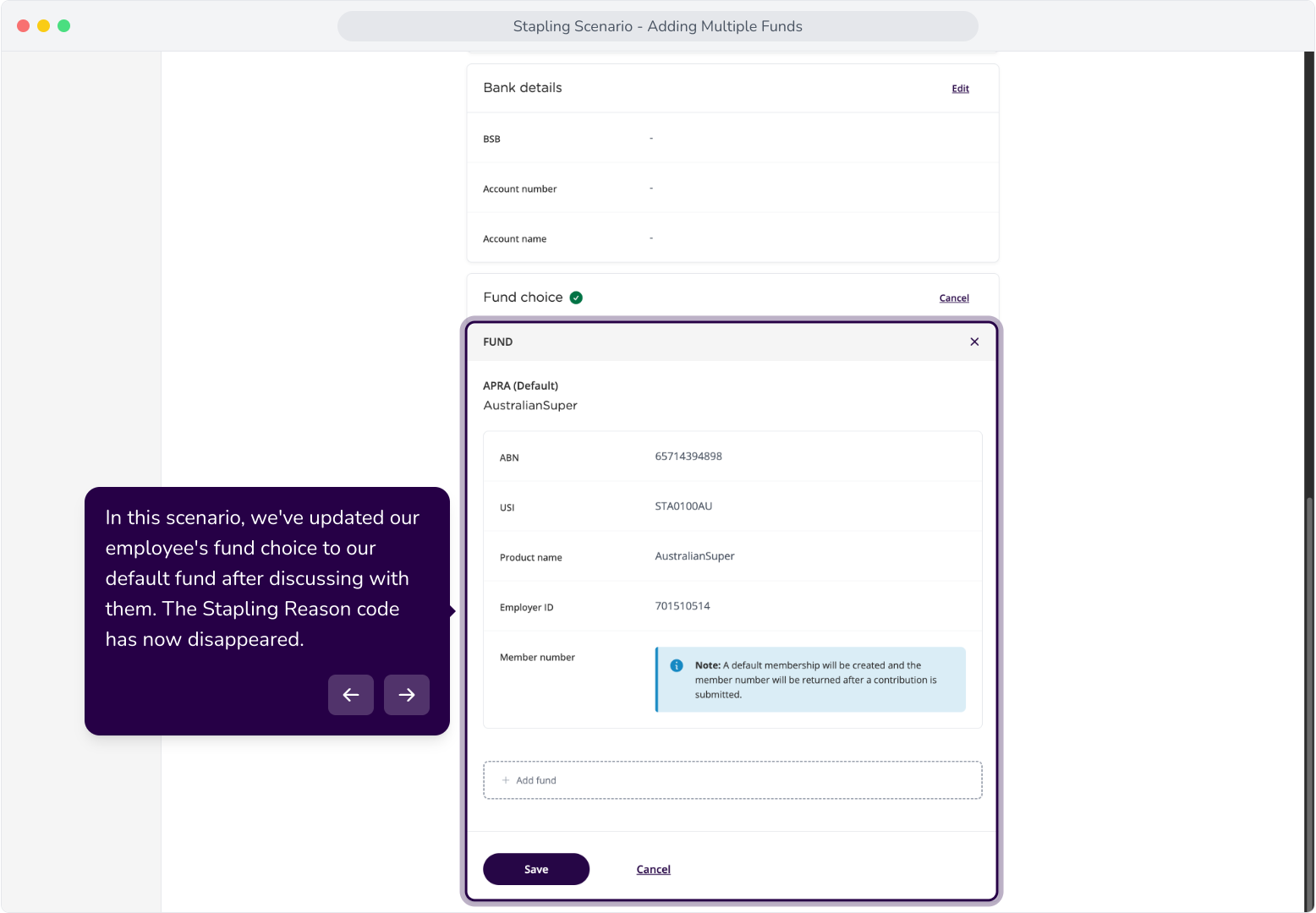
16. In this scenario, we've updated our employee's fund choice to our default fund after discussing with them. The Stapling Reason code has now disappeared.
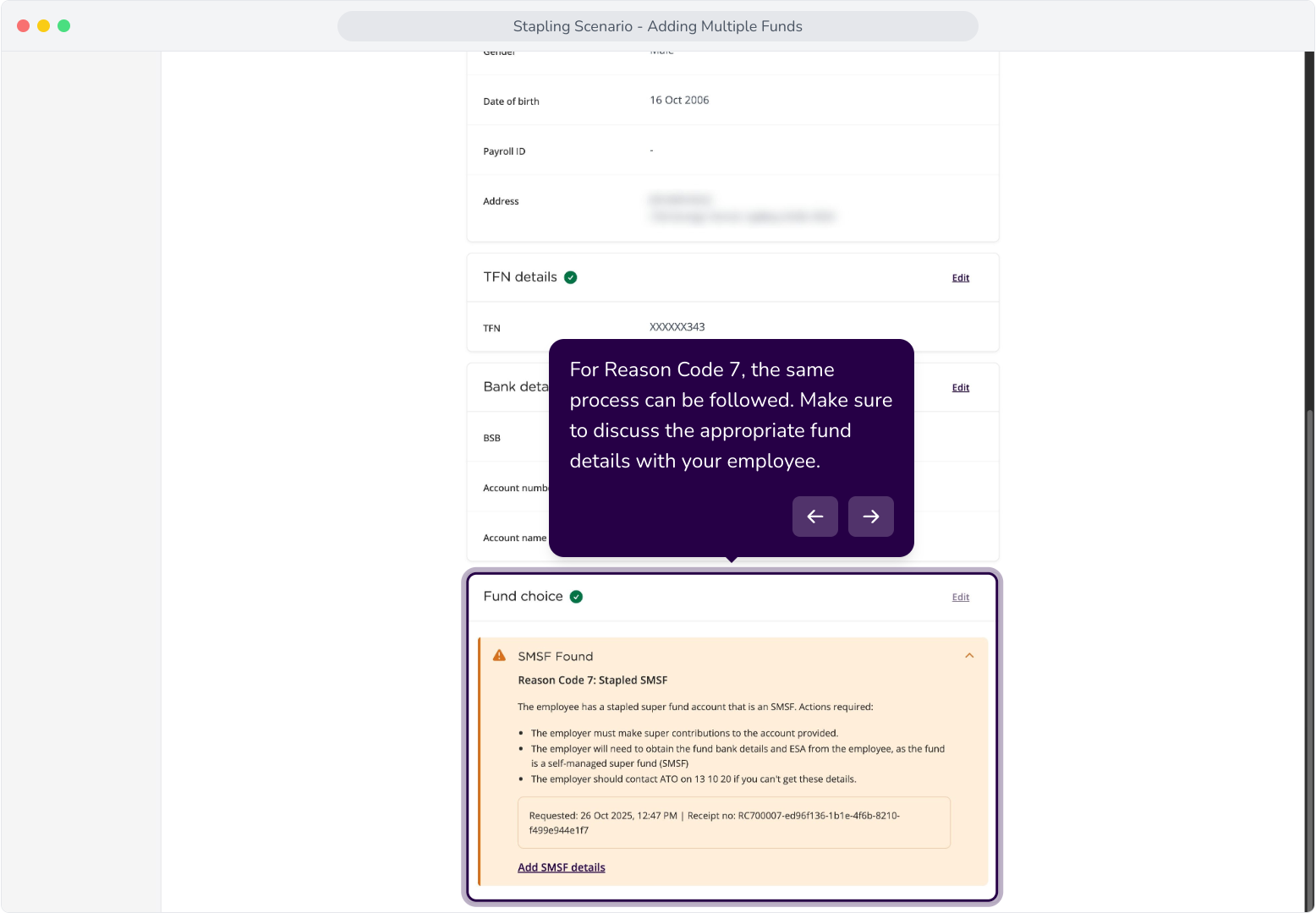
17. For Reason Code 7, the same process can be followed. Make sure to discuss the appropriate fund details with your employee.
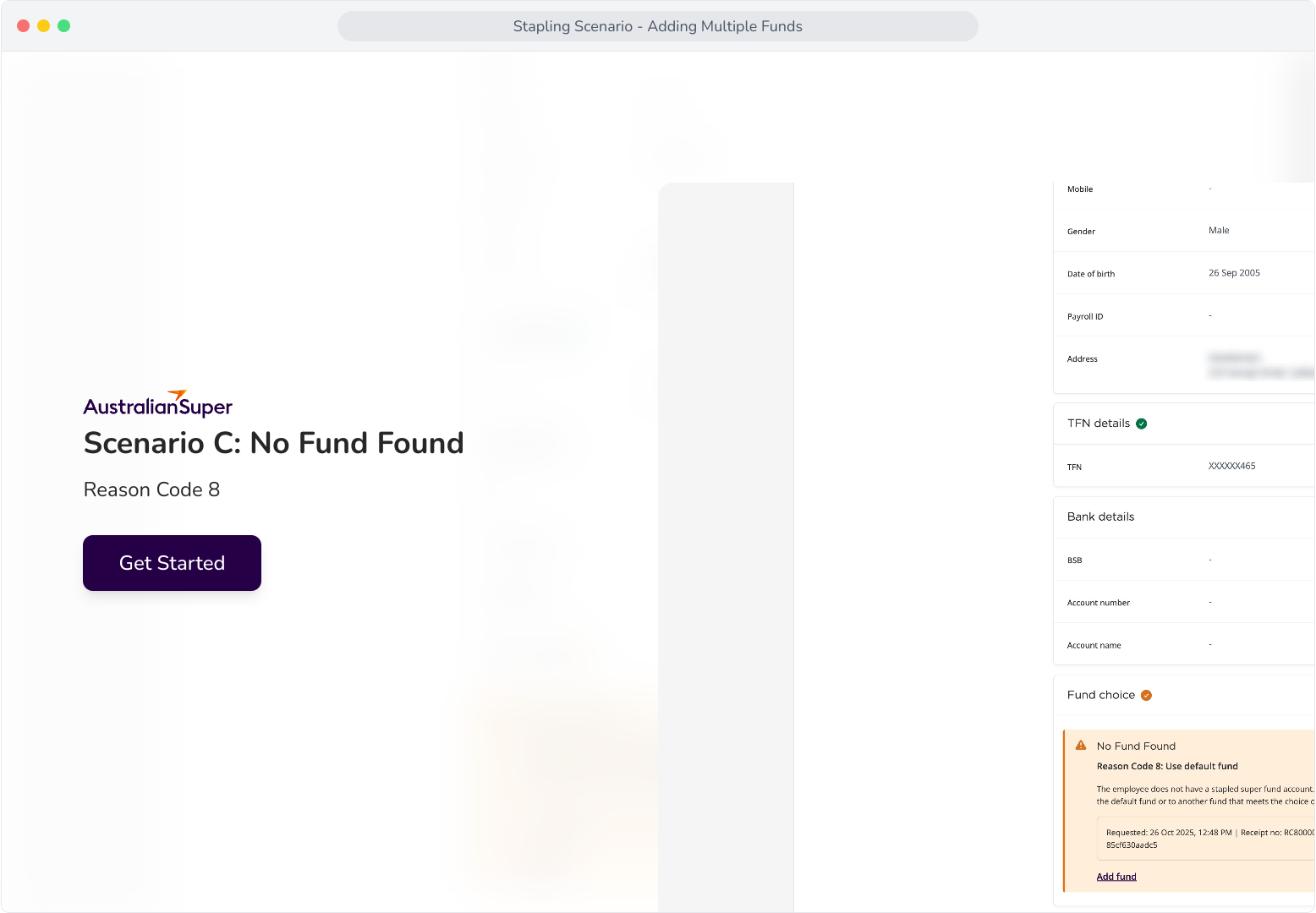
Scenario C: No Fund Found
Context: This section covers the Reason Code 8 response from the stapling request, and how multiple funds can be configured for the employee.
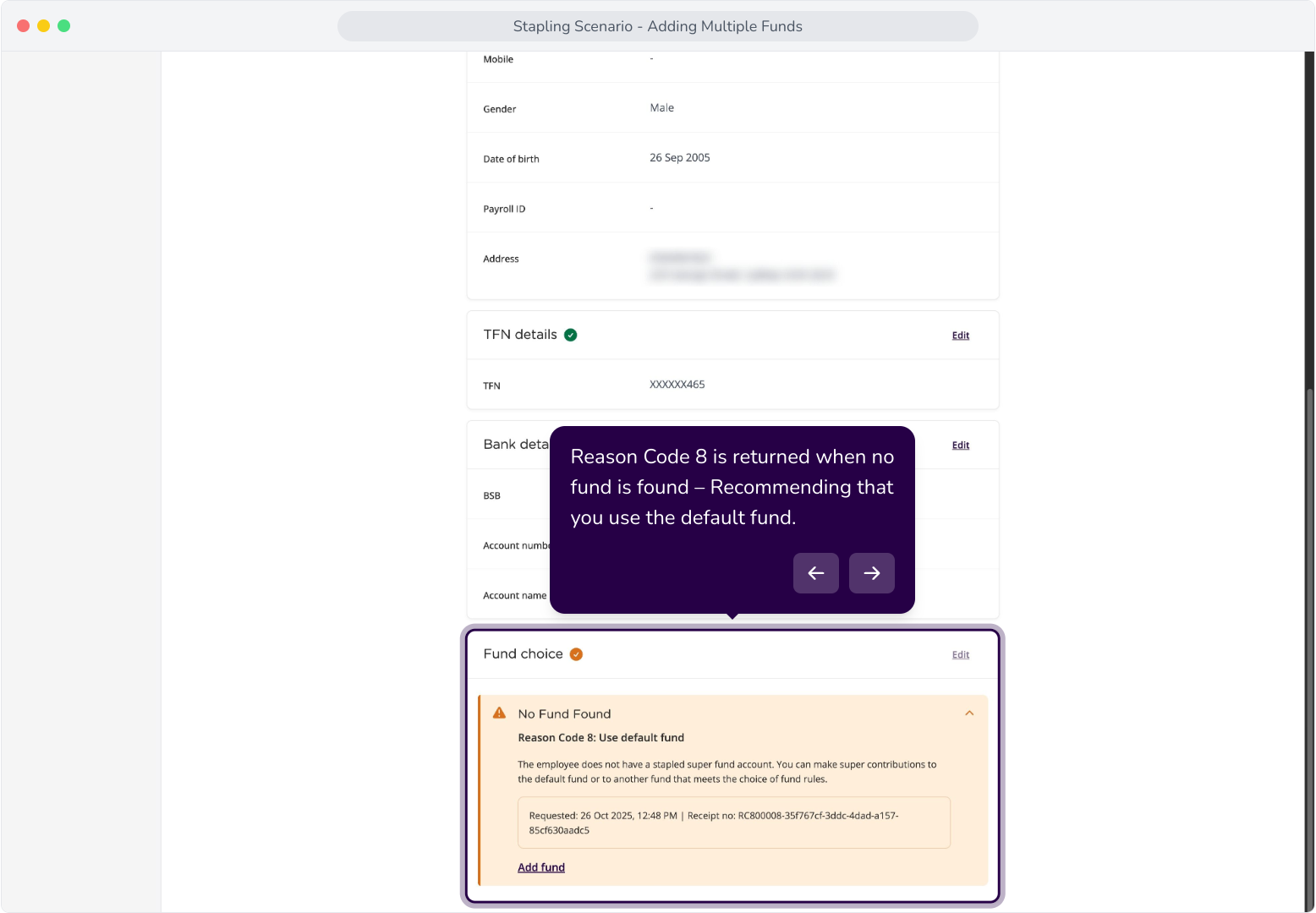
19. Reason Code 8 is returned when no fund is found – Recommending that you use the default fund.
20. The Edit function is disabled until we add a fund.
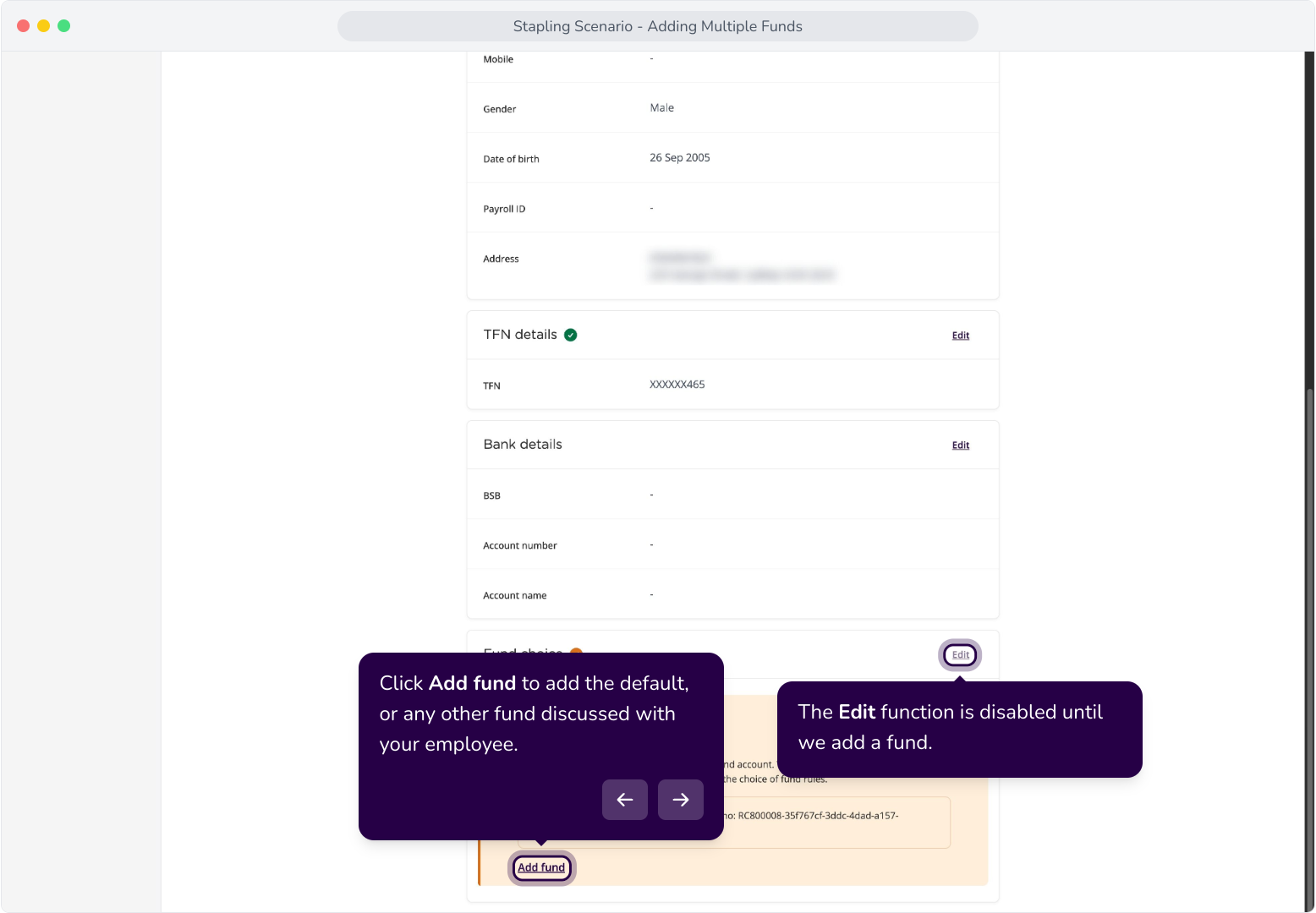
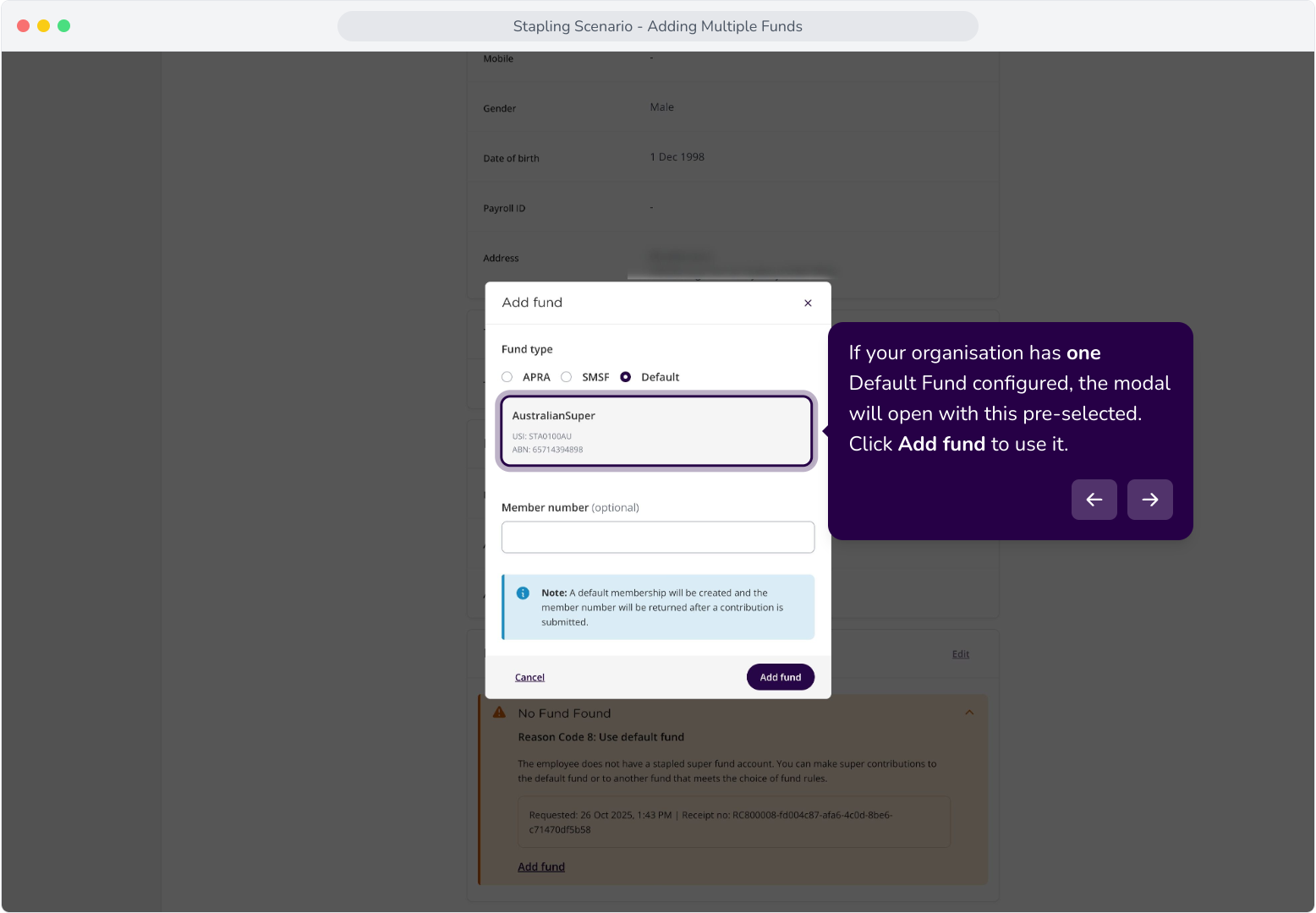
21. If your organisation has one Default Fund configured, the modal will open with this pre-selected. Click Add fund to use it.
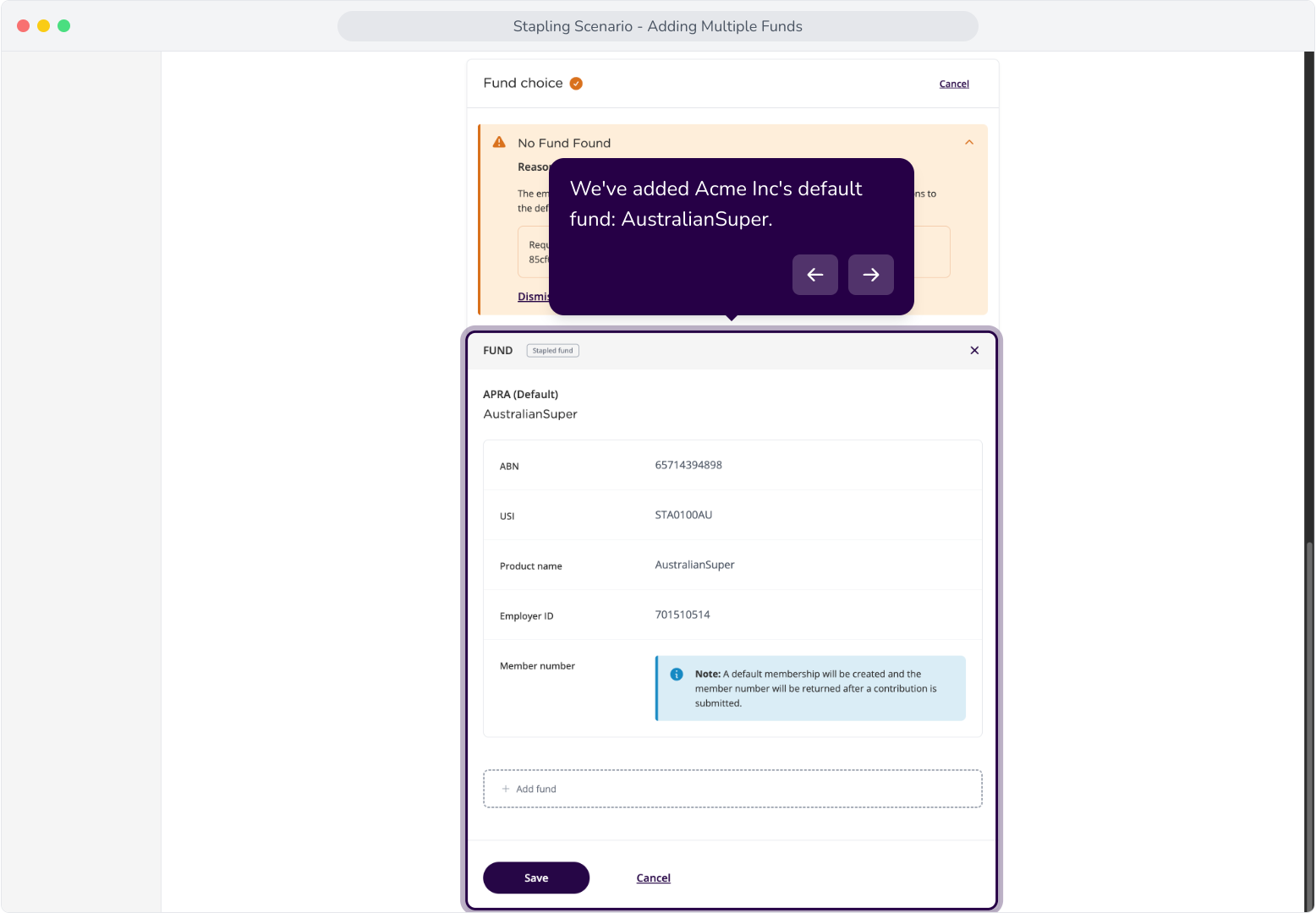
22. We've added Acme Inc's default fund: AustralianSuper.
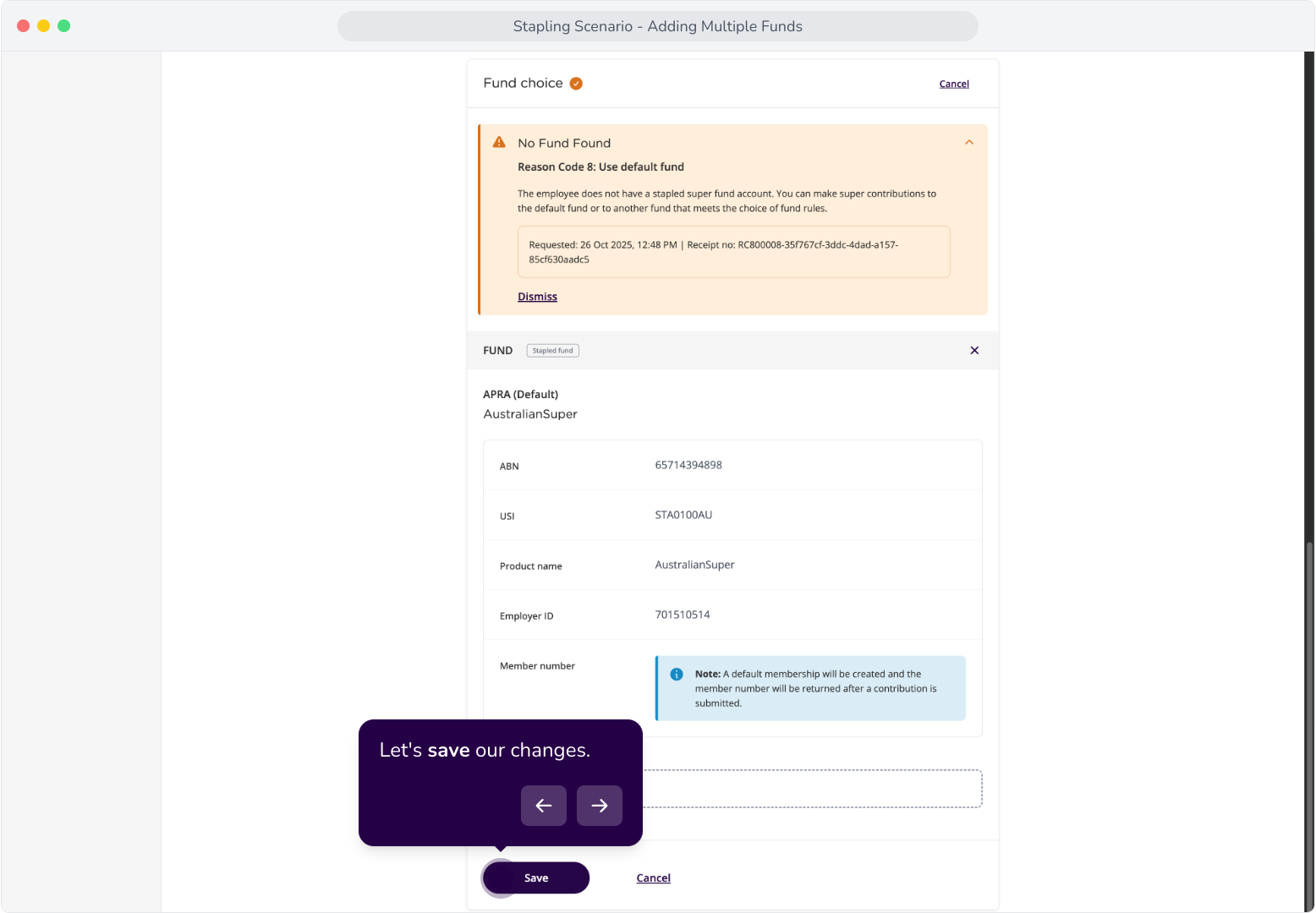
23. Let's save our changes.
24. Now that we've added the default fund, as recommended. We can click Dismiss on this Reason Code.
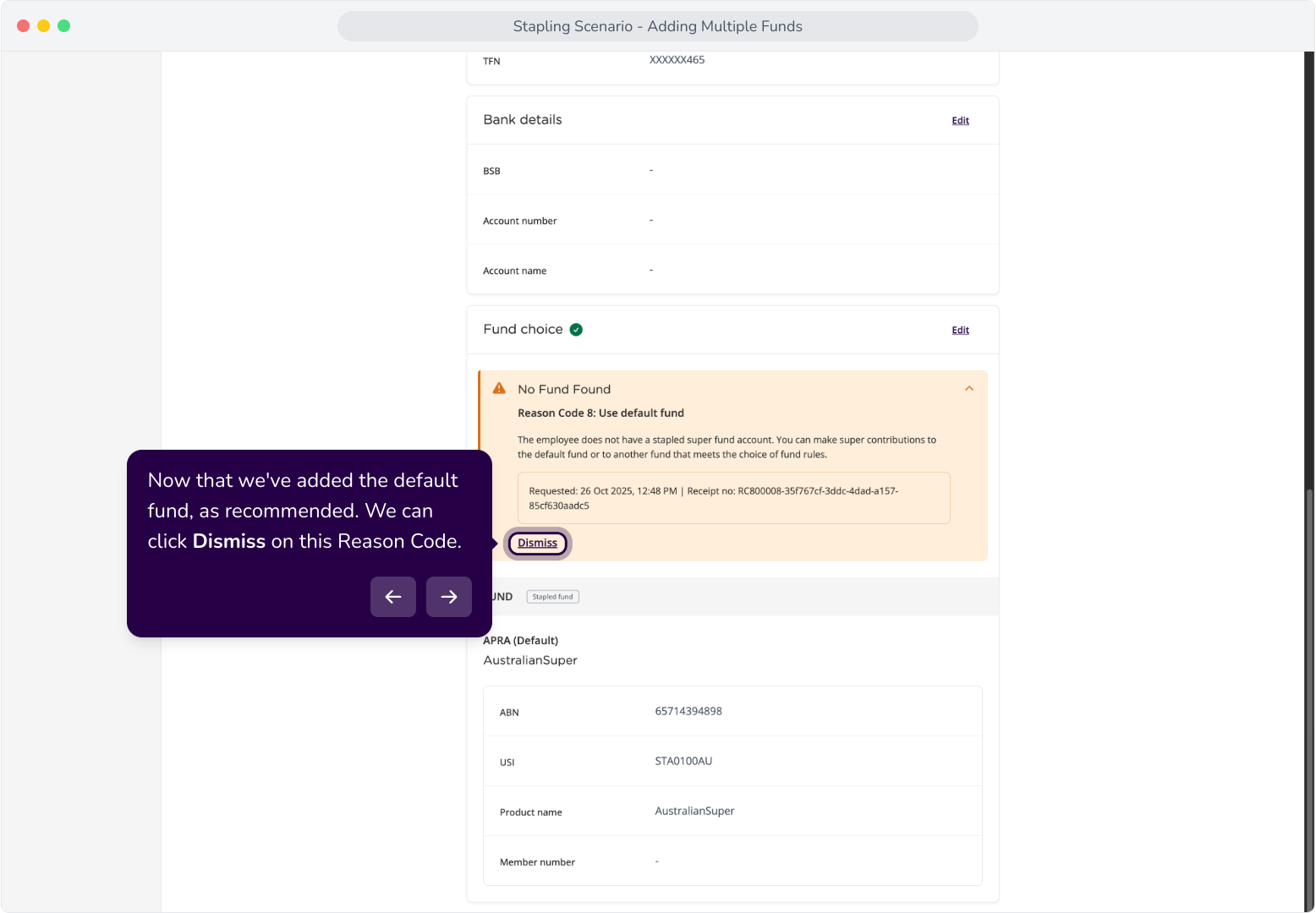
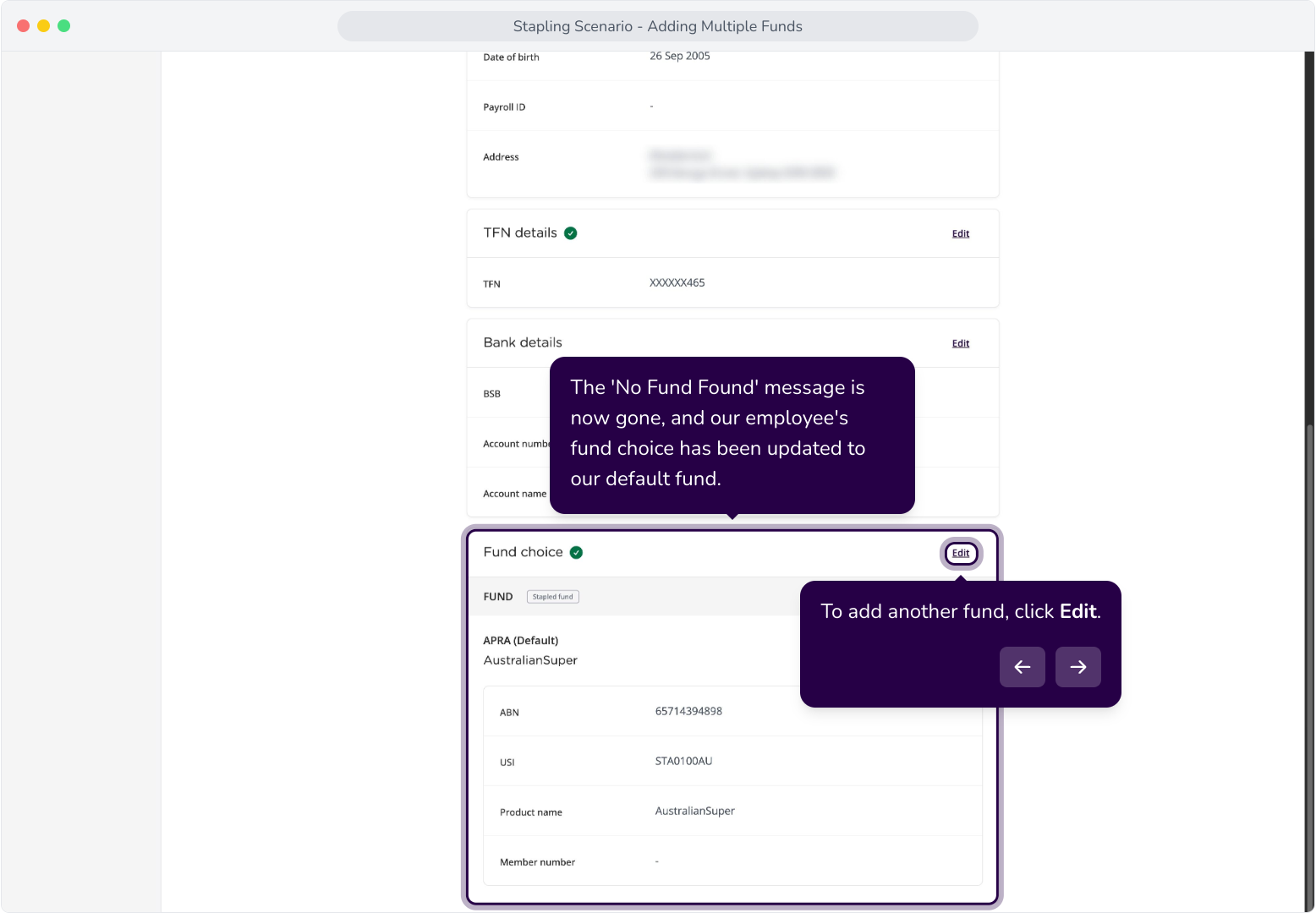
25. The 'No Fund Found' message is now gone, and our employee's fund choice has been updated to our default fund.
Scenario D: Error Response
Context: This section covers Reason Code 1, Reason Code 2, and Reason Code 3 responses from the stapling request, as well as how to navigate the error responses and configure multiple funds as necessary.
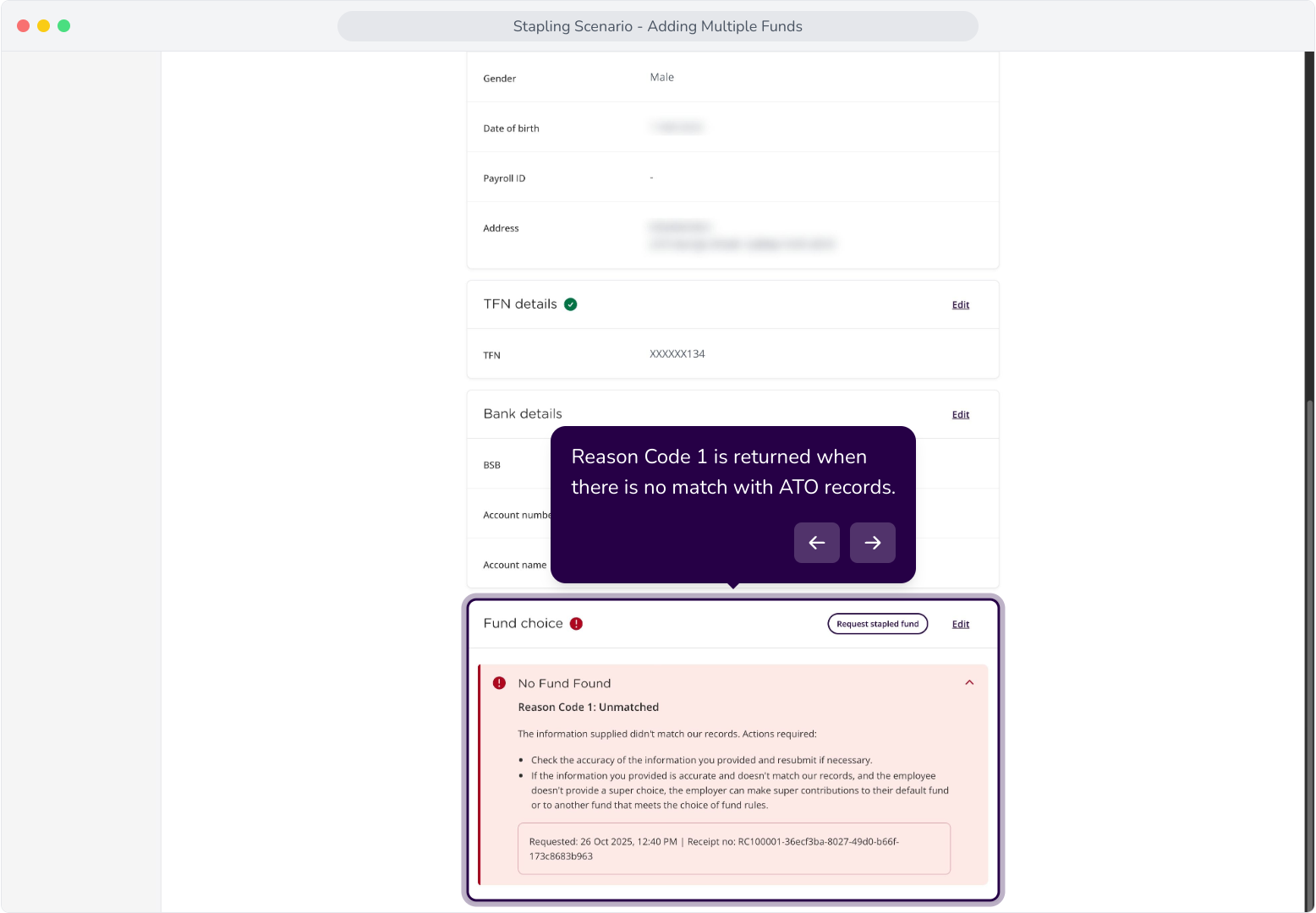
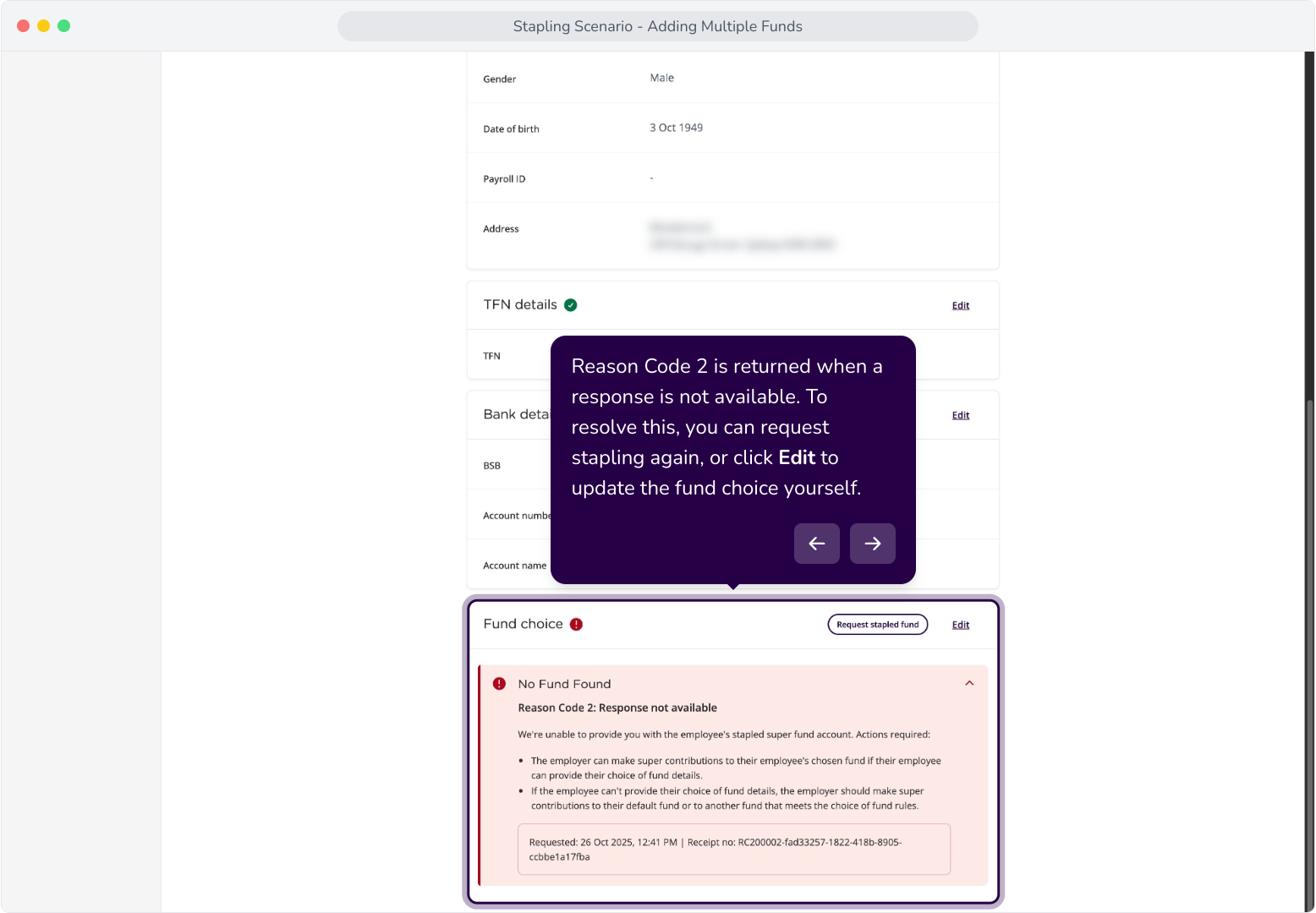
27. Reason Code 1 is returned when there is no match with ATO records.
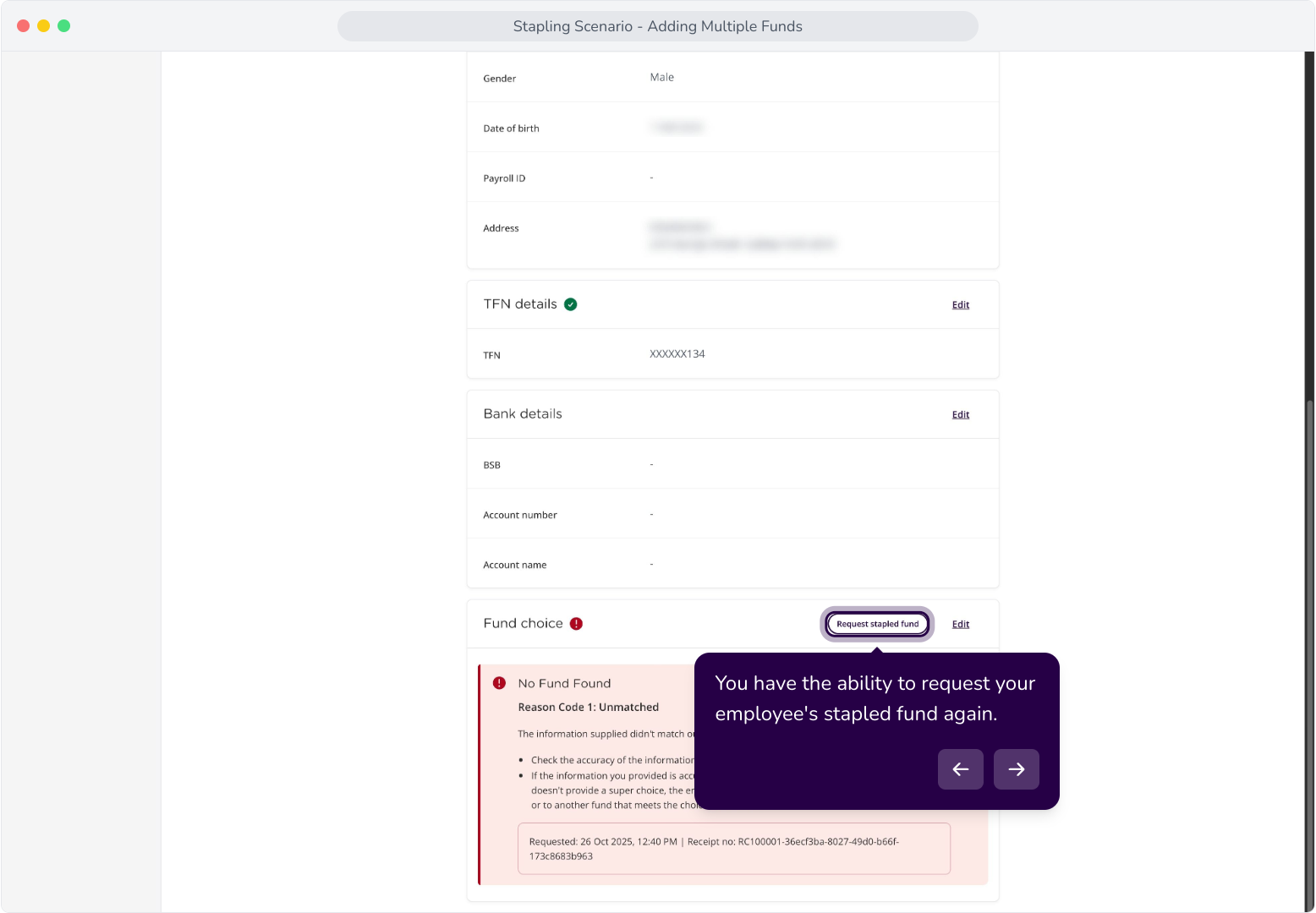
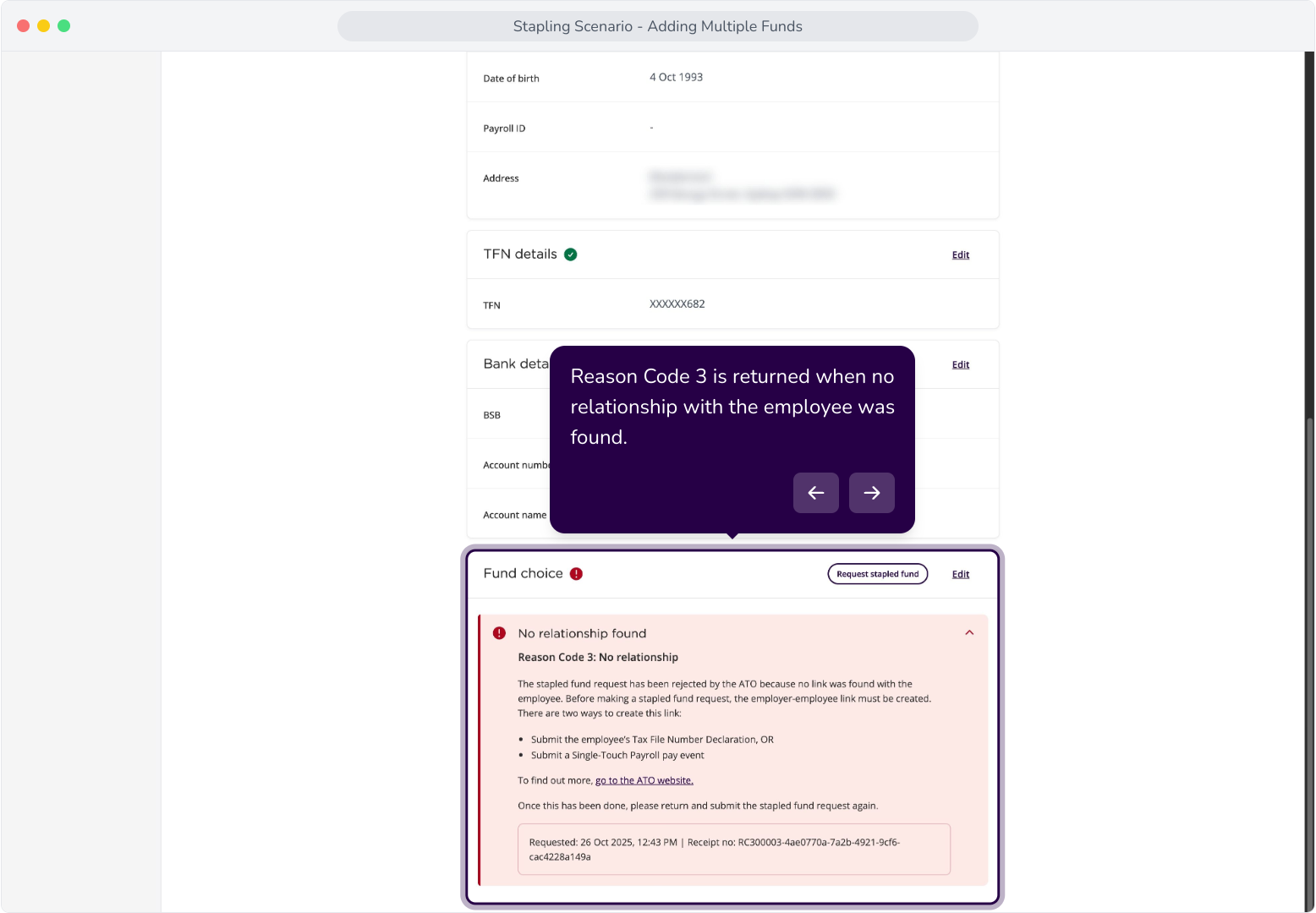
28. You have the ability to request your employee's stapled fund again.
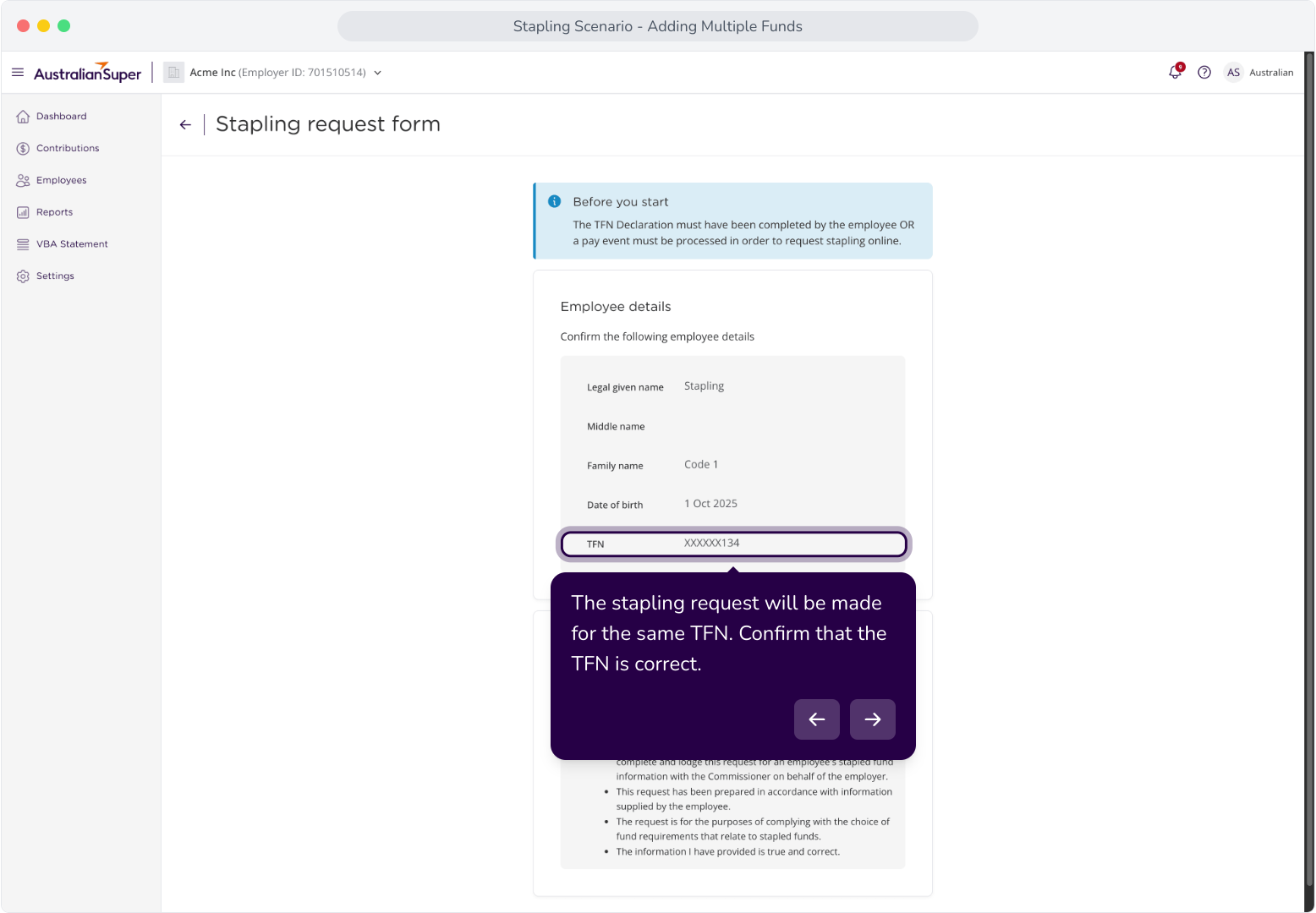
29. The stapling request will be made for the same TFN. Confirm that the TFN is correct.
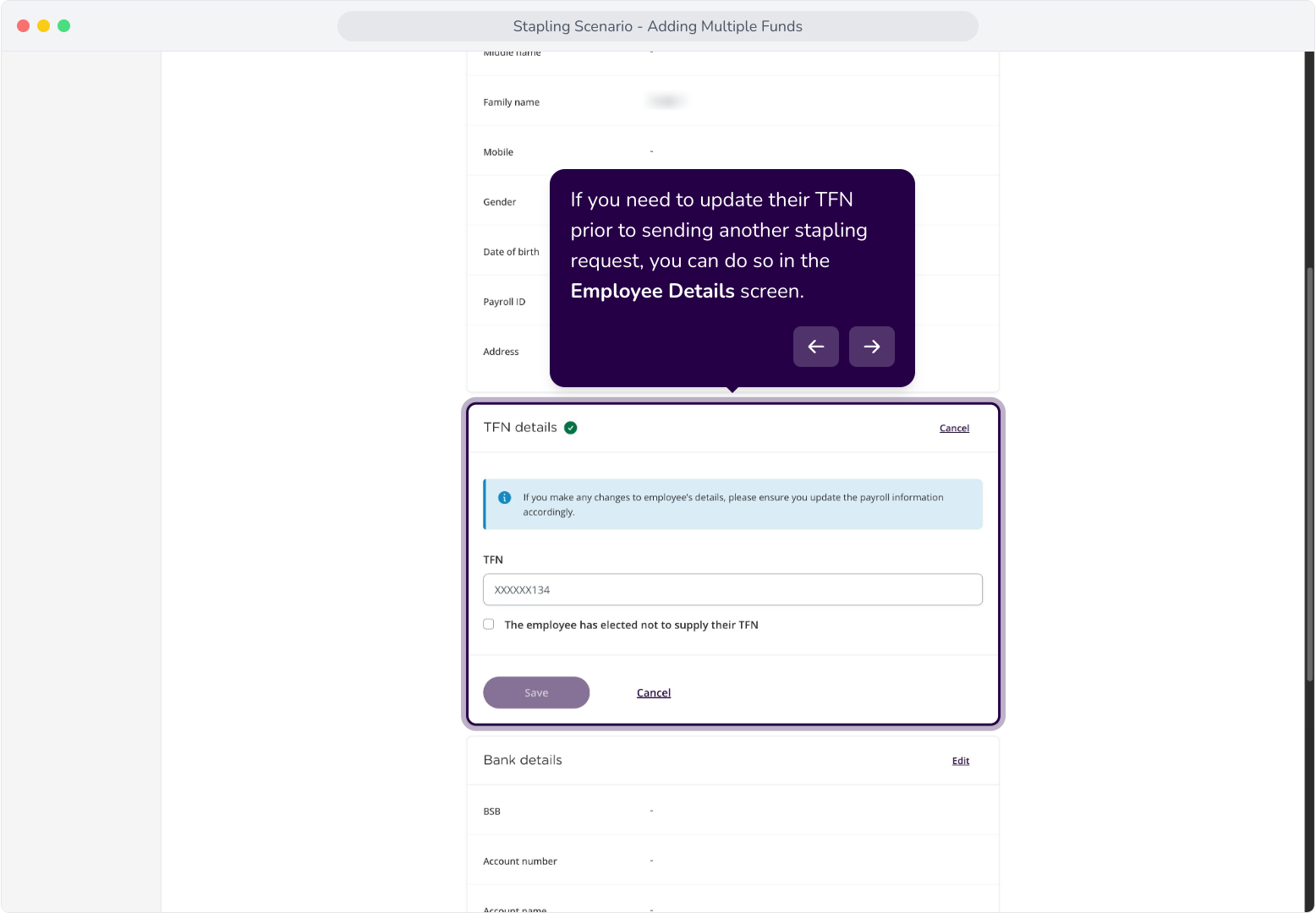
30. If you need to update their TFN prior to sending another stapling request, you can do so in the Employee Details screen.
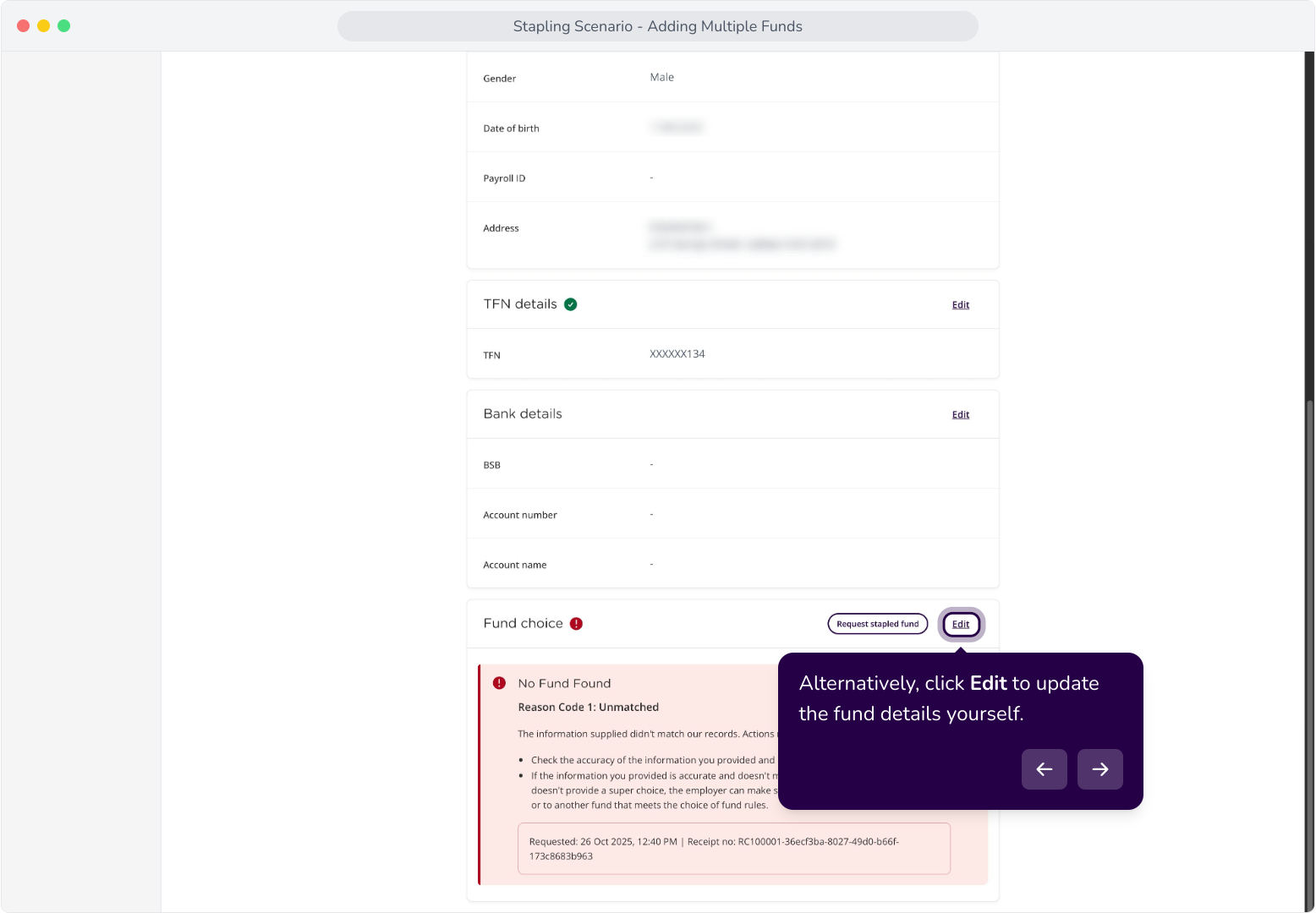
31. Alternatively, click Edit to update the fund details yourself.
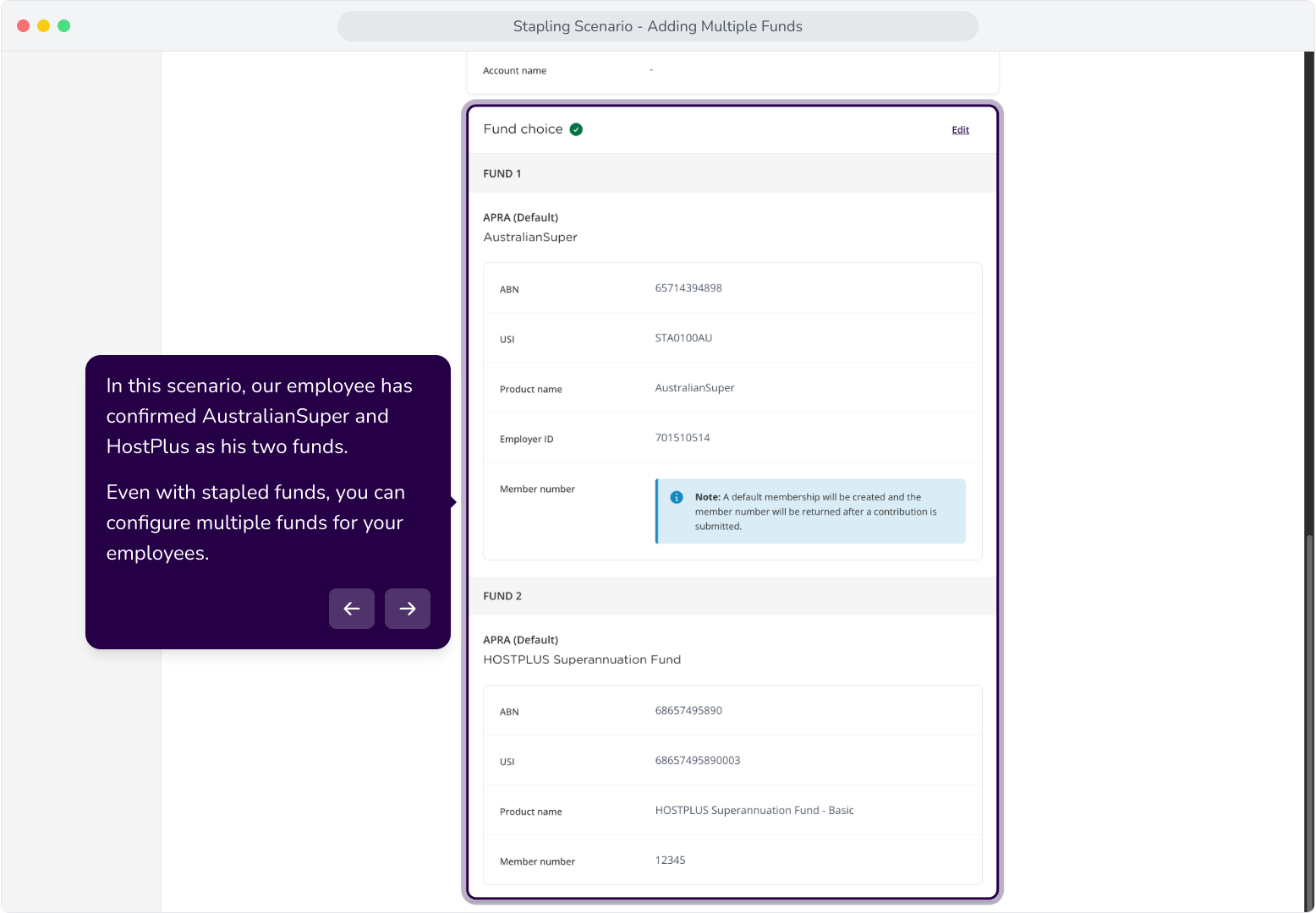
32. In this scenario, our employee has confirmed AustralianSuper and HostPlus as his two funds. Even with stapled funds, you can configure multiple funds for your employees.
33. Reason Code 2 is returned when a response is not available. To resolve this, you can request stapling again, or click Edit to update the fund choice yourself.
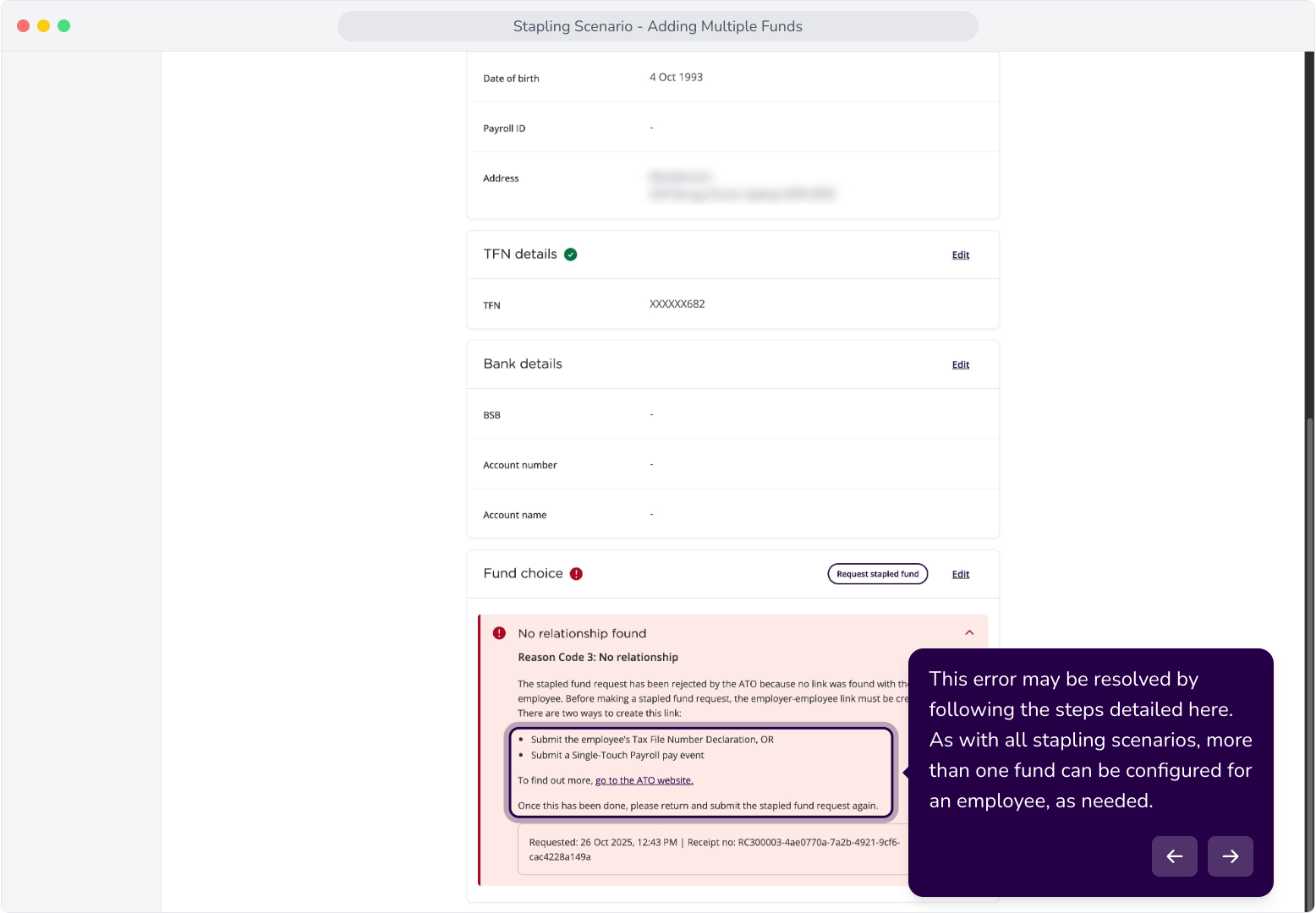
34. Reason Code 3 is returned when no relationship with the employee was found.
35. This error may be resolved by following the steps detailed here. As with all stapling scenarios, more than one fund can be configured for an employee, as needed.